TIMUIKitChat
功能介绍
聊天组件
参数详解
| 参数名称 | 参数类型 | 是否必填 | 平台 | 描述 |
|---|---|---|---|---|
| conversation | V2TimConversation | 是 | 全部 | 当前聊天的对话。建议直接提供此参数 V2TimConversation 在 tencent_cloud_chat_uikit 1.5.0版本后。除非您想手动覆盖这些字段,否则不需要提供ConversationID/ConversationType/groupAtInfoList/ConversationShowName。 |
| conversationID | String | 否 | 全部 | 聊天的会话id。除非您想手动覆盖此字段,否则不需要提供此字段,如果提供了conversation,则不必填。 |
| groupID | String | 否 | 全部 | 当且仅当当前会话是Topic,此处传入该 Topic 所属的 Community 的 Group ID。 |
| conversationType | ConvType | 否 | 全部 | 聊天的会话类型。除非您想手动覆盖此字段,否则不需要提供此字段,如果提供了conversation,则不必填。 |
| conversationShowName | String | 否 | 全部 | 聊天页面的页面展示名。除非您想手动覆盖此字段,否则不需要提供此字段,如果提供了conversation,则不必填。 |
| controller | TIMUIKitChatController | 否 | 全部 | 聊天模块控制器,如需在您的代码中使用,请在实例化后,传入本参数,用法请参考 |
| onTapAvatar | void Function(String userID, TapDownDetails tapDetails) | 否 | 全部 | 点击头像的回调函数 |
| onSecondaryTapAvatar | void Function(String userID, TapDownDetails tapDetails) | 否 | 桌面端 | 右键点击头像的回调函数 |
| messageItemBuilder | MessageItemBuilder | 否 | 全部 | 用于自定义不同种类消息样式的构造器 |
| showTotalUnReadCount | bool | 否 | 全部 | 是否展示当前未读消息总数 |
| extraTipsActionItemBuilder | Widget? Function(V2TimMessage message, Function() closeTooltip, [Key? key]) | 否 | 全部 | 新增的长按弹出消息操作功能的自定义选项的构造器 |
| draftText | String | 否 | 全部 | 会话的草稿文本。您可以传入 V2TimConversation 的 draftText 字段,以展示默认的草稿文本。 |
| initFindingMsg | V2TimMessage | 否 | 全部 | 进入页面需要默认跳转到的消息 |
| textFieldHintText | String | 否 | 全部 | 提示文本显示在输入字段中。 |
| appBarConfig | AppBar | 否 | 移动端 | 上方 appBar 的配置。 |
| mainHistoryListConfig | TIMUIKitHistoryMessageListConfig | 否 | 全部 | 历史消息列表的ListView配置 |
| morePanelConfig | MorePanelConfig | 否 | 移动端 | 更多操作选项设置 |
| tongueItemBuilder | Widget Function( VoidCallback onClick, MessageListTongueType valueType, int unreadCount) | 否 | 全部 | 小舌头构造器(右下角按钮提示框样式构造器) |
| groupAtInfoList | List< V2TimGroupAtInfo? > | 否 | 全部 | 群组消息@信息列表。除非您想手动覆盖此字段,否则不需要提供此字段,如果提供了conversation,则不必填。 |
| config | TIMUIKitChatConfig | 否 | 全部 | 消息页面设置 |
| onDealWithGroupApplication | ValueChanged< String > | 否 | 全部 | 点击处理加群申请后的回调函数 |
| abstractMessageBuilder | String Function(V2TimMessage message) | 否 | 全部 | 针对不同类型消息概述构造器 |
| toolTipsConfig | ToolTipsConfig | 否 | 全部 | 长按消息显示的消息操作选项设置 |
| lifeCycle | ChatLifeCycle | 否 | 全部 | 聊天消息操作时的钩子函数 |
| topFixWidget | Widget | 否 | 全部 | 聊天页面上方自定义widget |
| customStickerPanel | Widget Function( {void Function() sendTextMessage, void Function(int index, String data) sendFaceMessage, void Function() deleteText, void Function(int unicode) addText}) | 否 | 全部 | 自定义表情的选择框 |
代码示例
abstractMessageBuilder的案例
abstractMessageBuilder为针对不同类型消息概述构造器.
代码示例为使用abstractMessageBuilder做到自定义文本消息的概述。
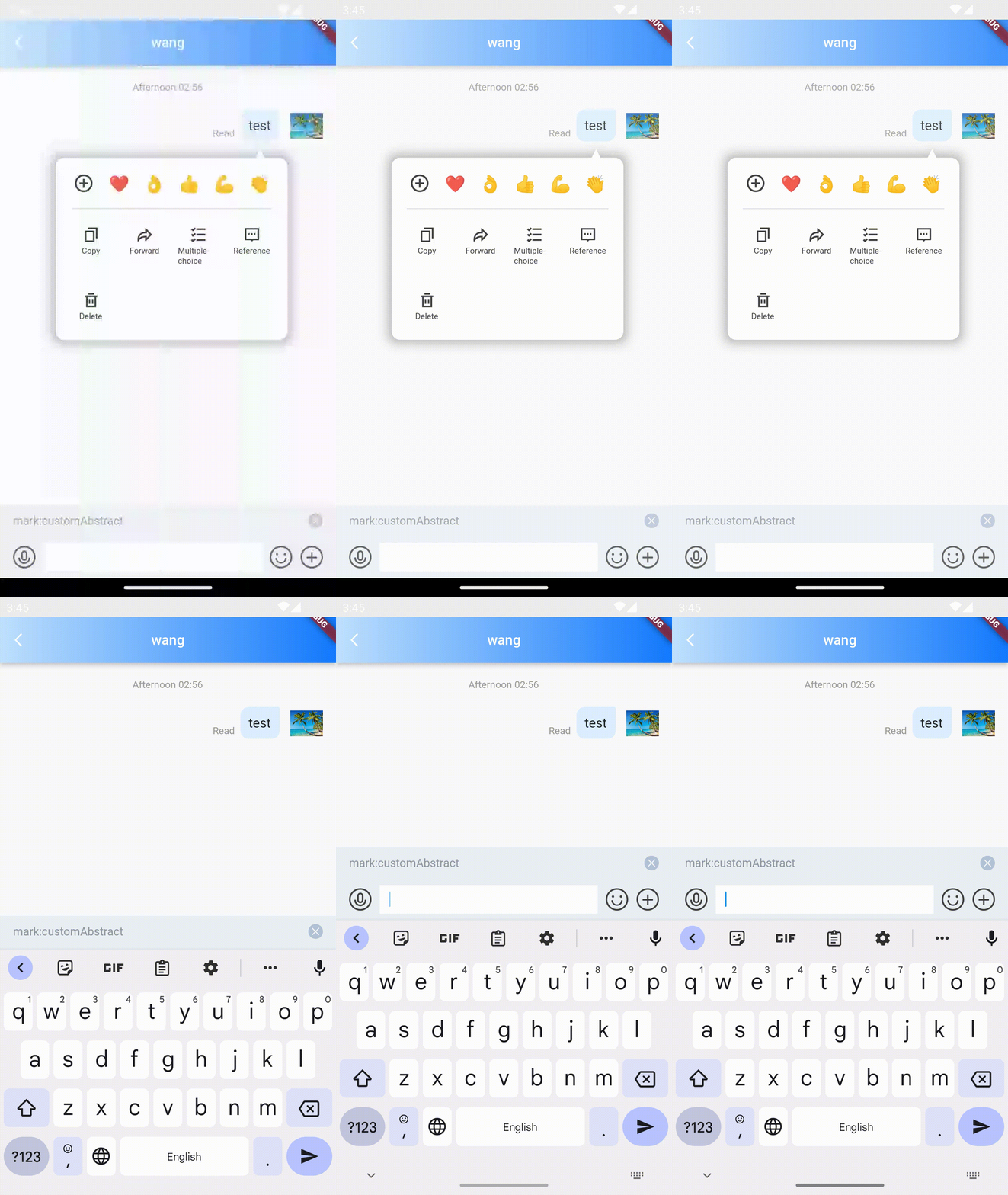
/// @title:"abstractMessageBuilder为针对不同类型消息概述构造器."
/// @title:"代码示例为使用abstractMessageBuilder做到自定义文本消息的概述。"
/// @picture:"https://tuikit-1251787278.cos.ap-guangzhou.myqcloud.com/abstractMessageBuilder.gif"
@override
Widget build(BuildContext context) {
  String? _getConvID() {
    return widget.selectedConversation.type == 1
        ? widget.selectedConversation.userID
        : widget.selectedConversation.groupID;
  }

  String _getTitle() {
    return backRemark ?? widget.selectedConversation.showName ?? "";
  }

  return TIMUIKitChat(
      abstractMessageBuilder: (message) {
        if (message.elemType == MessageElemType.V2TIM_ELEM_TYPE_TEXT) {
          return 'customAbstract';
        }
        return "";
      },
      key: tuiChatField,
      conversationID: _getConvID() ?? '',
      conversationType:
          widget.selectedConversation.type ?? ConversationType.V2TIM_C2C,
      conversationShowName: _getTitle());
}
appBarConfig的案例
appBarConfig为上方抬头栏设置.
代码示例为使用appBarConfig自定义添加分享功能。
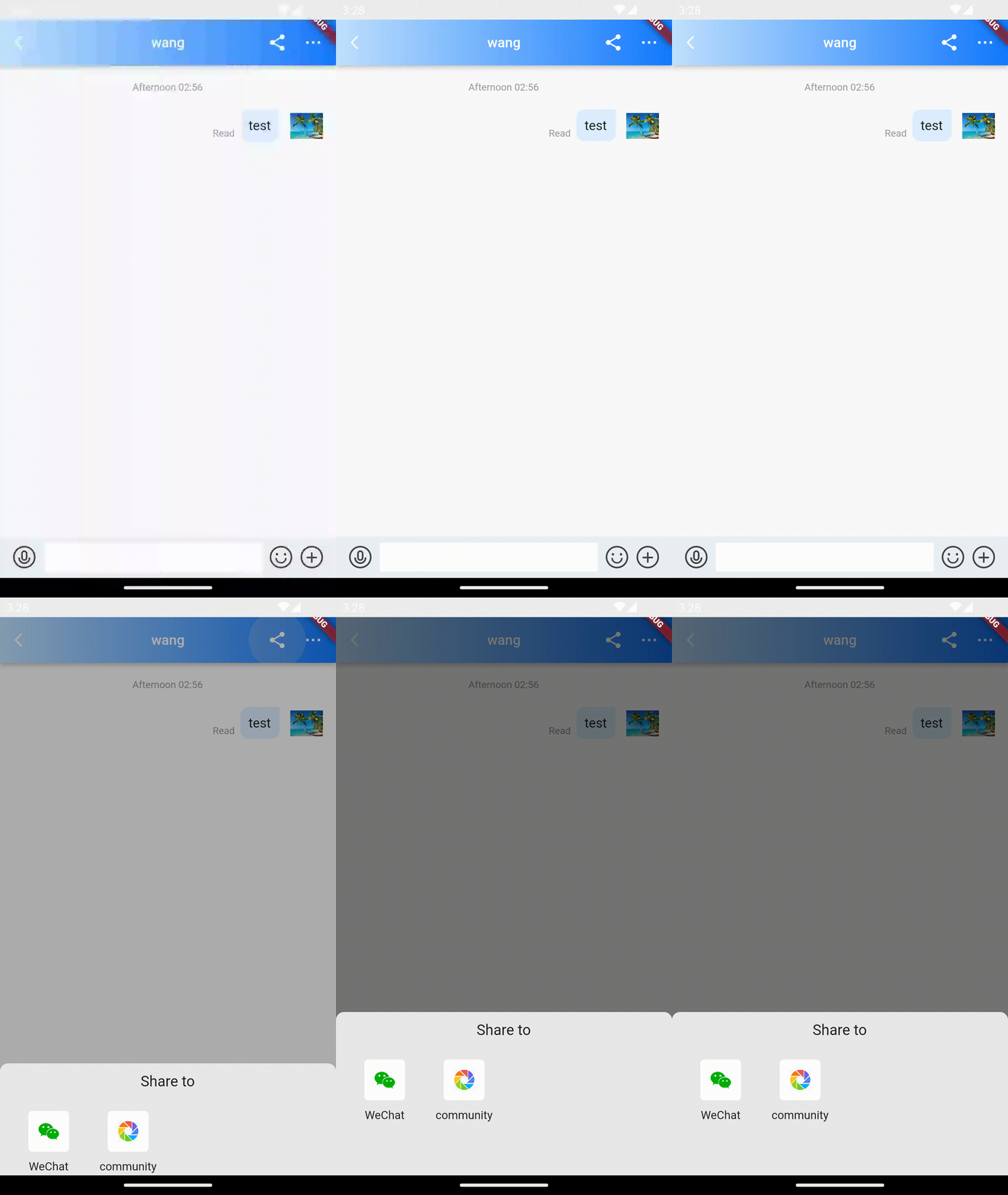
/// @title:"appBarConfig为上方抬头栏设置."
/// @title:"代码示例为使用appBarConfig自定义添加分享功能。"
/// @picture:"https://tuikit-1251787278.cos.ap-guangzhou.myqcloud.com/appBarConfig.gif"
@override
Widget build(BuildContext context) {
  String? _getConvID() {
    return widget.selectedConversation.type == 1
        ? widget.selectedConversation.userID
        : widget.selectedConversation.groupID;
  }

  String _getTitle() {
    return backRemark ?? widget.selectedConversation.showName ?? "";
  }

  return TIMUIKitChat(
      appBarConfig: AppBar(
        actions: [
          if (IMDemoConfig.openShareFeature)
            IconButton(
                onPressed: () async {
                  showModalBottomSheet(
                      backgroundColor: Colors.transparent,
                      context: context,
                      builder: (BuildContext context) {
                        return ShareWidget(
                          ShareInfo('腾讯云IM',
                              'https://comm.qq.com/im_demo_download/#/discuss-share',
                              img: WeChatImage.network(
                                  "https://imgcache.qq.com/operation/dianshi/other/logo.ac7337705ff26825bf66a8e074460759465c48d7.png"),
                              describe:
                                  "即时通信 IM (Instant Messaging)基于 QQ 底层 IM 能力开发,仅需植入 SDK 即可轻松集成聊天、会话、群组、资料管理和直播弹幕能力,也支持通过信令消息与白板等其他产品打通,全面覆盖您的业务场景,支持各大平台小程序接入使用,全面满足通信需要"),
                          list: [
                            ShareOpt(
                                title: '微信好友',
                                img: Image.asset(
                                  'assets/icon_wechat.png',
                                  width: 25.0,
                                  height: 25.0,
                                  fit: BoxFit.fill,
                                ),
                                shareType: ShareType.SESSION,
                                doAction: (shareType, shareInfo) async {
                                  if (!_installedWechat) {
                                    Toast.showToast(
                                        ToastType.fail, "未检测到微信安装", context);
                                    return;
                                  }
                                  var model =
                                      _getShareModel(shareType, shareInfo);
                                  shareToWeChat(model);
                                }),
                            ShareOpt(
                                title: '朋友圈',
                                img: Image.asset(
                                  'assets/icon_wechat_moments.jpg',
                                  width: 25.0,
                                  height: 25.0,
                                  fit: BoxFit.fill,
                                ),
                                shareType: ShareType.TIMELINE,
                                doAction: (shareType, shareInfo) {
                                  if (!_installedWechat) {
                                    Toast.showToast(
                                        ToastType.fail, "未检测到微信安装", context);
                                    return;
                                  }
                                  var model =
                                      _getShareModel(shareType, shareInfo);
                                  shareToWeChat(model);
                                }),
                          ],
                        );
                      });
                },
                icon: const Icon(Icons.share)),
          IconButton(
              padding: const EdgeInsets.only(left: 8, right: 16),
              onPressed: () async {
                final conversationType = widget.selectedConversation.type;

                if (conversationType == 1) {
                  final userID = widget.selectedConversation.userID;
                  // if had remark modifed its will back new remark
                  String? newRemark = await Navigator.push(
                      context,
                      MaterialPageRoute(
                        builder: (context) => UserProfile(userID: userID!),
                      ));
                  setState(() {
                    backRemark = newRemark;
                  });
                } else {
                  final groupID = widget.selectedConversation.groupID;
                  if (groupID != null) {
                    Navigator.push(
                        context,
                        MaterialPageRoute(
                          builder: (context) => GroupProfilePage(
                            groupID: groupID,
                          ),
                        ));
                  }
                }
              },
              icon: Image.asset(
                'images/more.png',
                package: 'tim_ui_kit',
                height: 34,
                width: 34,
              ))
        ],
      ),
      key: tuiChatField,
      conversationID: _getConvID() ?? '',
      conversationType:
          widget.selectedConversation.type ?? ConversationType.V2TIM_C2C,
      conversationShowName: _getTitle());
}
config的案例
config为消息页面设置.
代码示例为使用config中的做到不允许使用表情面板。
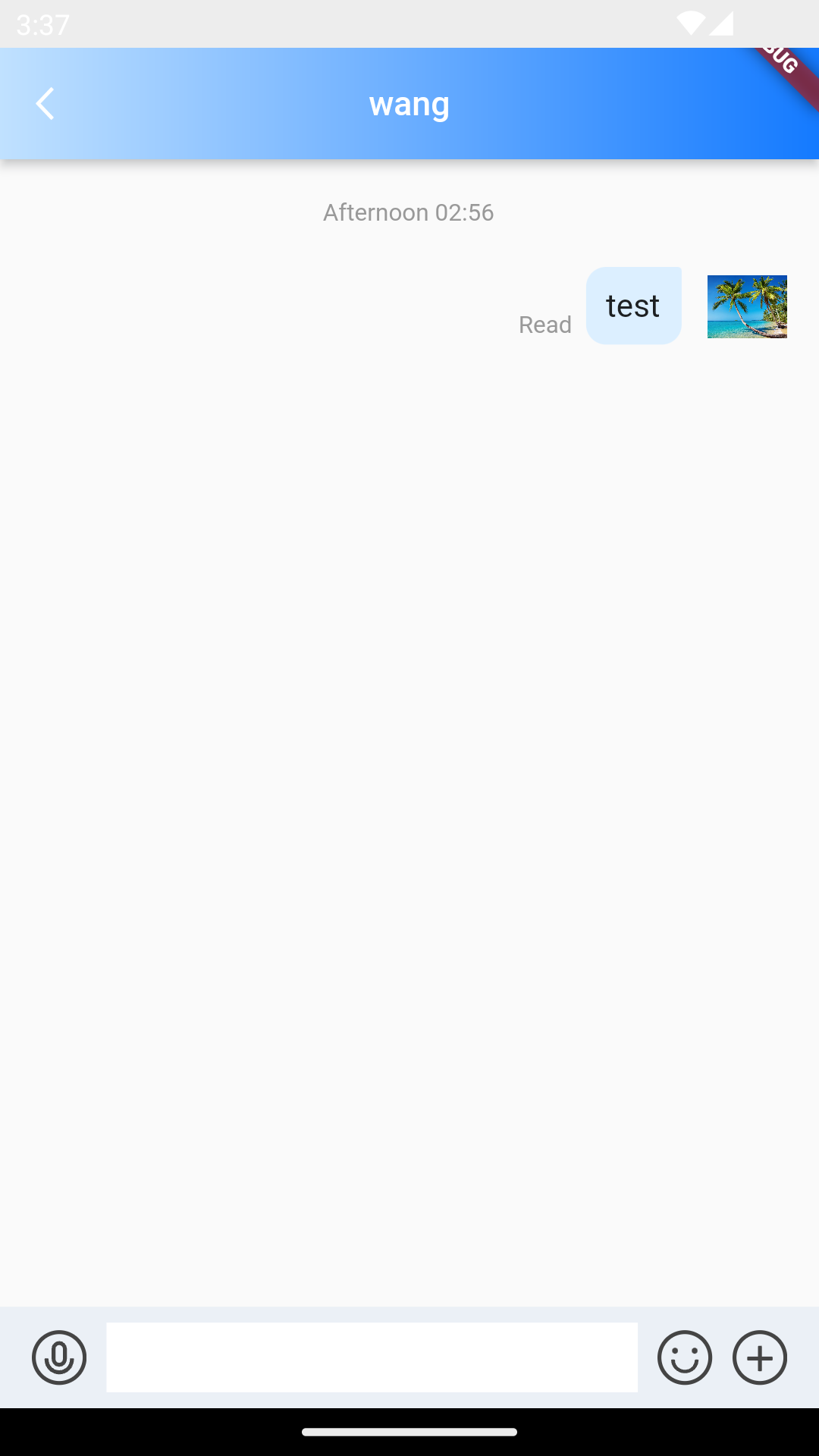
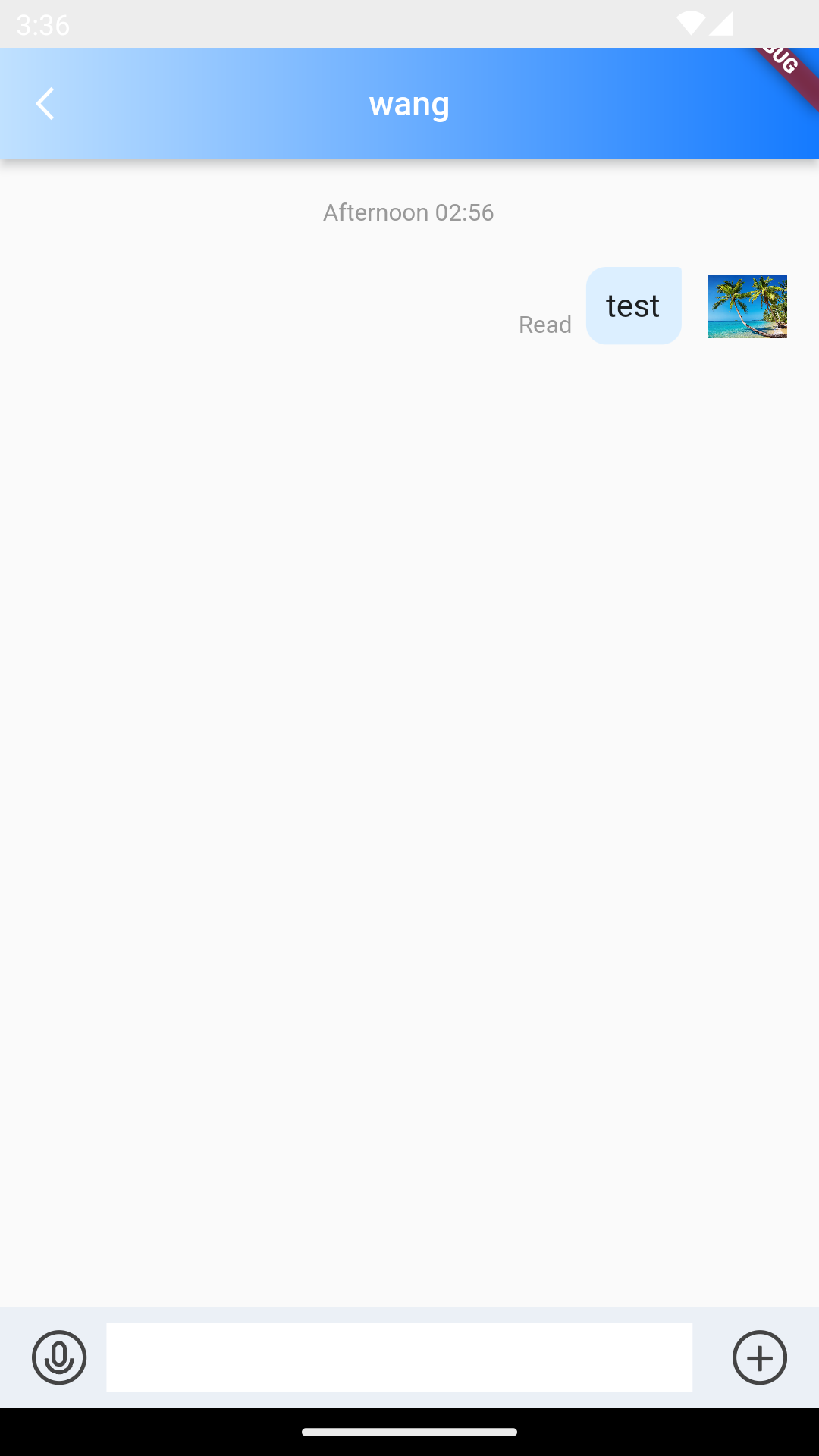
/// @title:"config为消息页面设置."
/// @title:"代码示例为使用config中的做到不允许使用表情面板。"
/// @picture:"https://qcloudimg.tencent-cloud.cn/raw/021dfda59e6f036bafb4c9c97633d3d1.png"
/// @picture:"https://qcloudimg.tencent-cloud.cn/raw/d3f05e9b6f0ffcf323341f53d0722aae.png"
@override
Widget build(BuildContext context) {
  String? _getConvID() {
    return widget.selectedConversation.type == 1
        ? widget.selectedConversation.userID
        : widget.selectedConversation.groupID;
  }

  String _getTitle() {
    return backRemark ?? widget.selectedConversation.showName ?? "";
  }

  return TIMUIKitChat(
      config: TIMUIKitChatConfig(isAllowEmojiPanel: false),
      key: tuiChatField,
      conversationID: _getConvID() ?? '',
      conversationType:
          widget.selectedConversation.type ?? ConversationType.V2TIM_C2C,
      conversationShowName: _getTitle());
}
conversationShowName的案例
conversationShowName为聊天页面的聊天对象名称。.
代码示例为使用自定义conversationShowName做到展示自定义聊天对象名称。
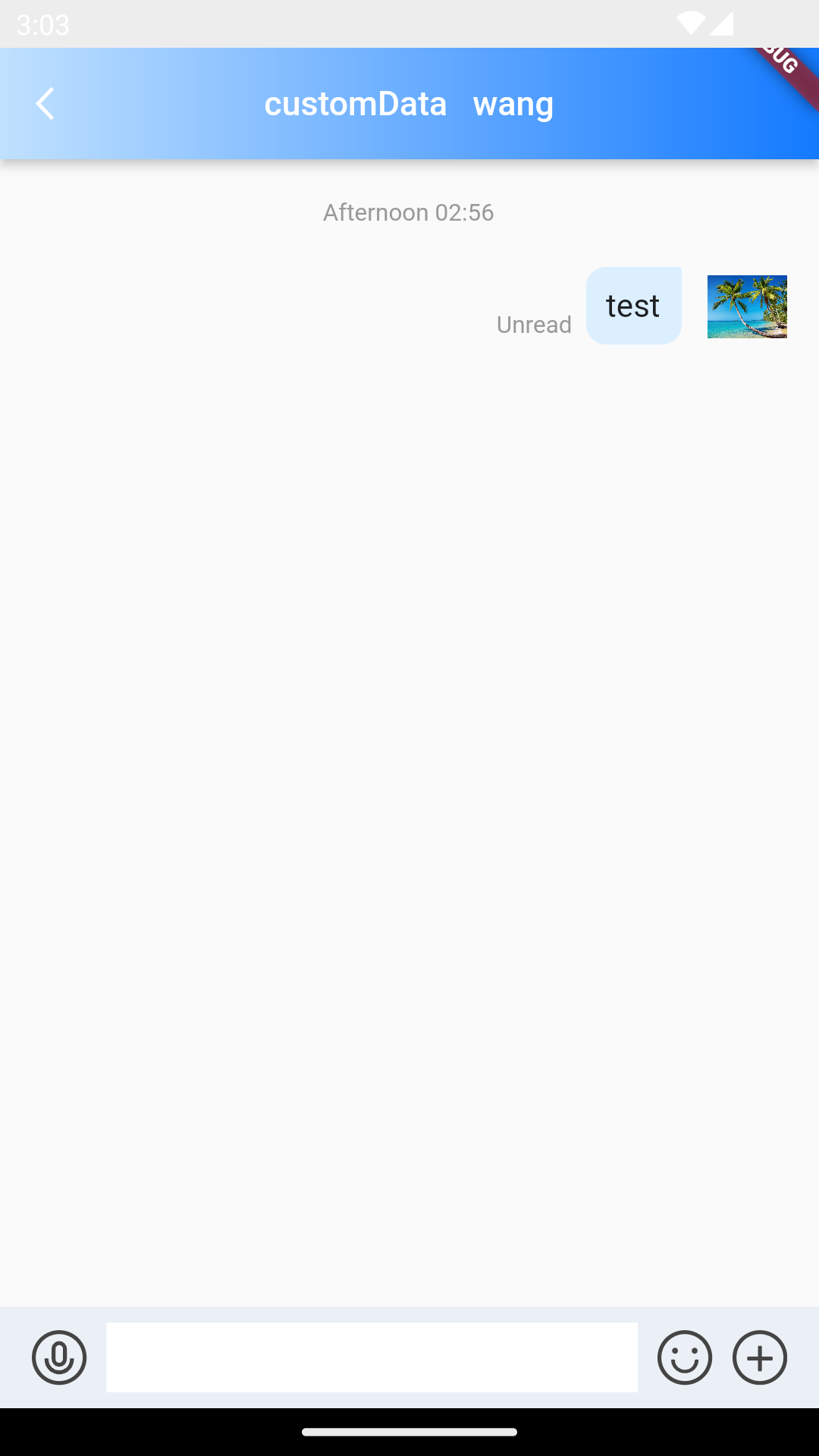
/// @title:"conversationShowName为聊天页面的聊天对象名称。."
/// @title:"代码示例为使用自定义conversationShowName做到展示自定义聊天对象名称。"
/// @picture:"https://qcloudimg.tencent-cloud.cn/raw/cac1f6fa9ed47a71920546eba15e3be1.png"
@override
Widget build(BuildContext context) {
  String? _getConvID() {
    return widget.selectedConversation.type == 1
        ? widget.selectedConversation.userID
        : widget.selectedConversation.groupID;
  }

  String _getTitle() {
    return backRemark ?? widget.selectedConversation.showName ?? "";
  }

  return TIMUIKitChat(
      key: tuiChatField,
      conversationID: _getConvID() ?? '',
      conversationType:
          widget.selectedConversation.type ?? ConversationType.V2TIM_C2C,
      conversationShowName: "customData   " + _getTitle());
}
customStickerPanel的案例
customStickerPanel为自定义表情的选择框.
代码示例为使用customStickerPanel做到自定义表情的选择框。
customStickerPackageList为自定义表情列表。
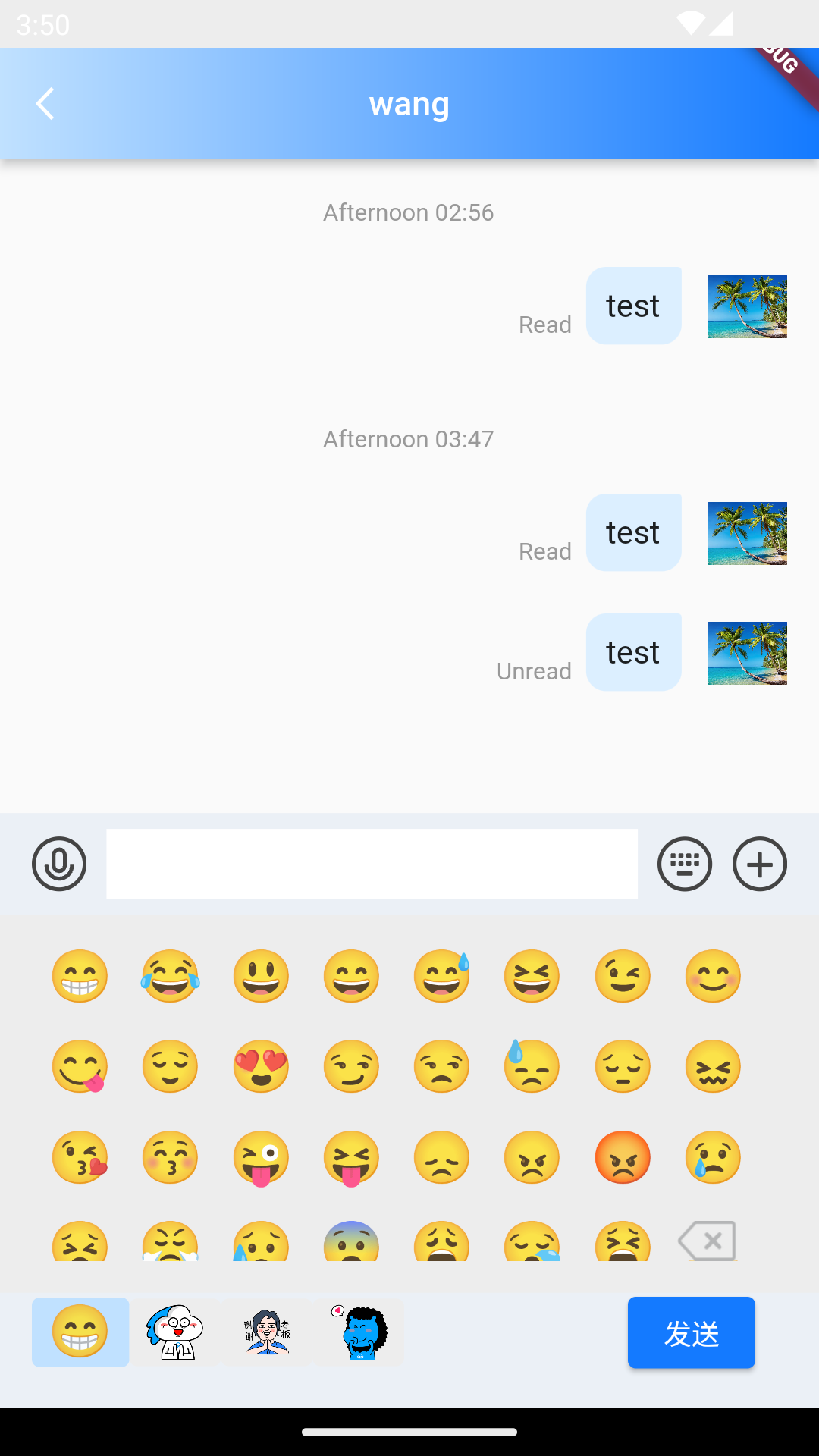
/// @title:"customStickerPanel为自定义表情的选择框."
/// @title:"代码示例为使用customStickerPanel做到自定义表情的选择框。"
/// @title:"[customStickerPackageList](https://cloud.tencent.com/document/product/269/72486)为自定义表情列表。"
/// @picture:"https://qcloudimg.tencent-cloud.cn/raw/69cec4830cef562b7a354517f0296740.png"
@override
Widget build(BuildContext context) {
  String? _getConvID() {
    return widget.selectedConversation.type == 1
        ? widget.selectedConversation.userID
        : widget.selectedConversation.groupID;
  }

  String _getTitle() {
    return backRemark ?? widget.selectedConversation.showName ?? "";
  }

  Widget renderCustomStickerPanel(
      {sendTextMessage, sendFaceMessage, deleteText, addText}) {
    final theme = Provider.of<DefaultThemeData>(context).theme;
    final customStickerPackageList =
        Provider.of<CustomStickerPackageData>(context).customStickerPackageList;
    return StickerPanel(
        sendTextMsg: sendTextMessage,
        sendFaceMsg: sendFaceMessage,
        deleteText: deleteText,
        addText: addText,
        customStickerPackageList: customStickerPackageList,
        backgroundColor: theme.weakBackgroundColor,
        lightPrimaryColor: theme.lightPrimaryColor);
  }

  return TIMUIKitChat(
      customStickerPanel: renderCustomStickerPanel,
      key: tuiChatField,
      conversationID: _getConvID() ?? '',
      conversationType:
          widget.selectedConversation.type ?? ConversationType.V2TIM_C2C,
      conversationShowName: _getTitle());
}
draftText的案例
draftText为会话的草稿文本.
代码示例为使用draftText做到自定义会话的草稿文本。
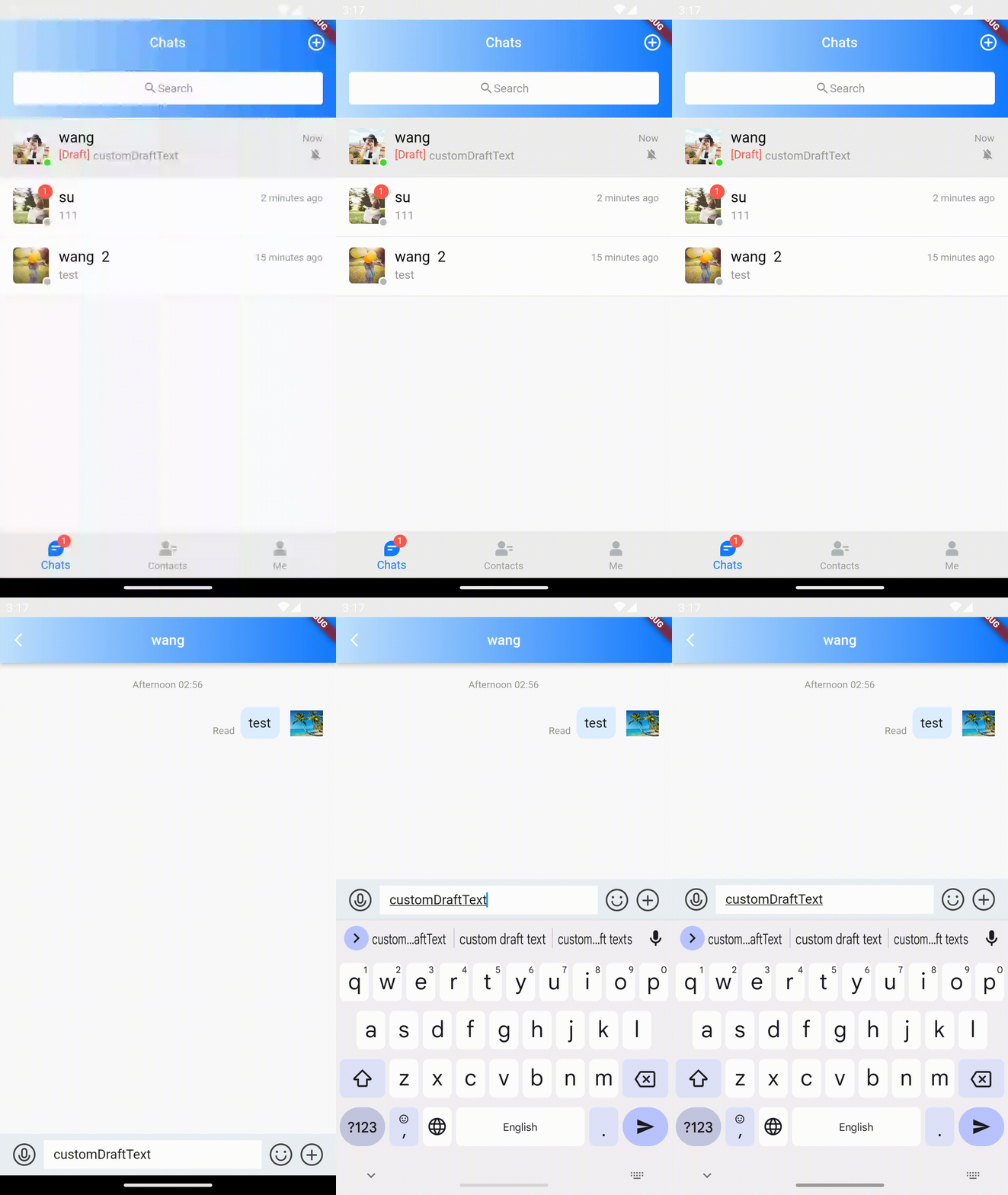
/// @title:"draftText为会话的草稿文本."
/// @title:"代码示例为使用draftText做到自定义会话的草稿文本。"
/// @picture:"https://tuikit-1251787278.cos.ap-guangzhou.myqcloud.com/draftText.gif"
@override
Widget build(BuildContext context) {
  String? _getConvID() {
    return widget.selectedConversation.type == 1
        ? widget.selectedConversation.userID
        : widget.selectedConversation.groupID;
  }

  String _getTitle() {
    return backRemark ?? widget.selectedConversation.showName ?? "";
  }

  String? _getDraftText() {
    return widget.selectedConversation.draftText;
  }

  return TIMUIKitChat(
      draftText: 'customDraftText',
      key: tuiChatField,
      conversationID: _getConvID() ?? '',
      conversationType:
          widget.selectedConversation.type ?? ConversationType.V2TIM_C2C,
      conversationShowName: _getTitle());
}
extraTipsActionItemBuilder的案例
extraTipsActionItemBuilder为新增的长按弹出消息操作功能的自定义选项的构造器.
代码示例为使用extraTipsActionItemBuilder做到在长按显示面板做后增加自定义操作。
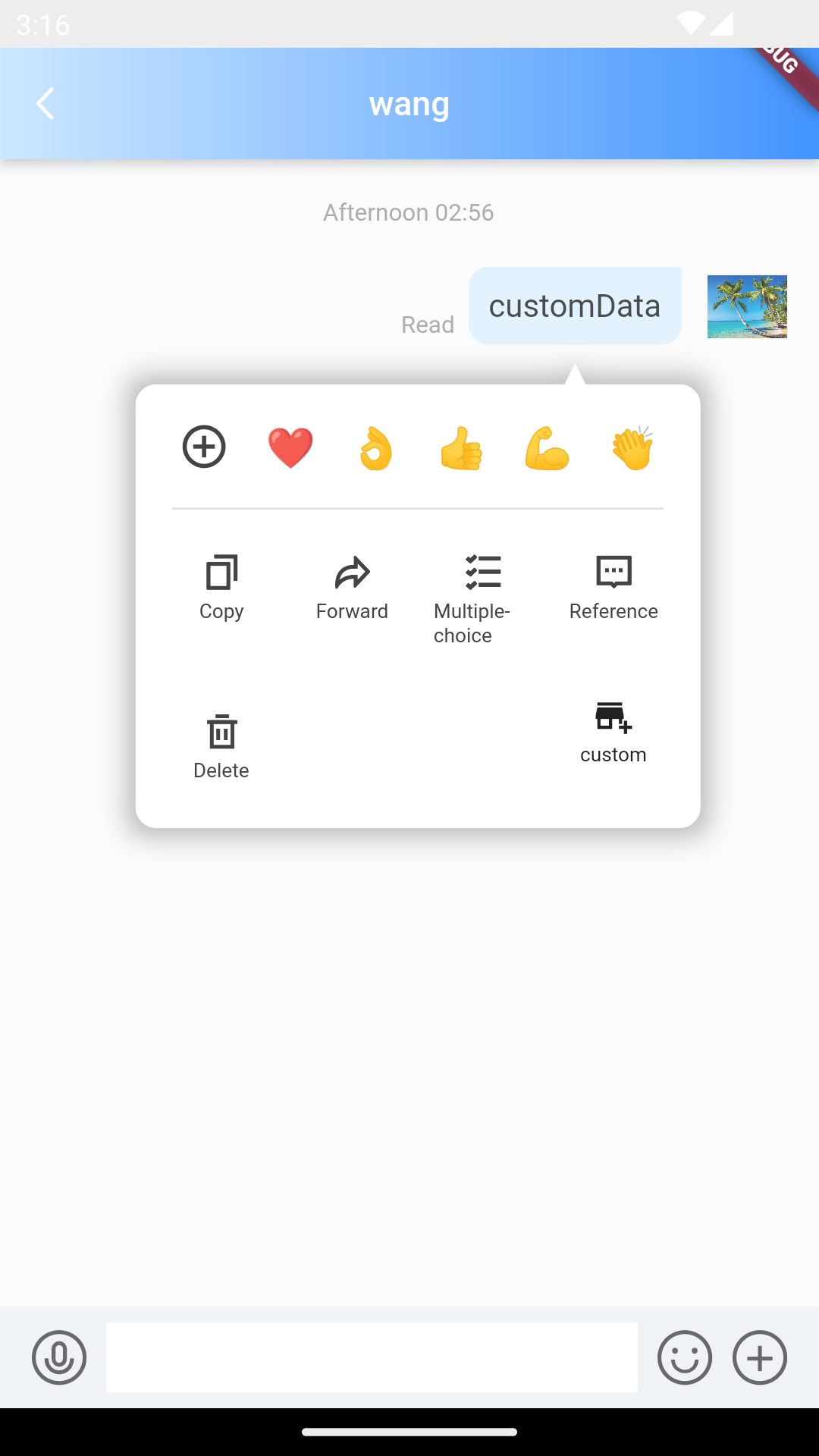
/// @title:"extraTipsActionItemBuilder为新增的长按弹出消息操作功能的自定义选项的构造器."
/// @title:"代码示例为使用extraTipsActionItemBuilder做到在长按显示面板做后增加自定义操作。"
/// @picture:"https://qcloudimg.tencent-cloud.cn/raw/3d613a2003dfbf96b38ecafce4adbcd4.png"
@override
Widget build(BuildContext context) {
  Widget ItemInkWell({
    Widget? child,
    GestureTapCallback? onTap,
  }) {
    return SizedBox(
      width: 50,
      child: InkWell(
        onTap: onTap,
        child: Container(
          decoration: const BoxDecoration(
            color: Colors.white,
          ),
          child: child,
        ),
      ),
    );
  }

  String? _getConvID() {
    return widget.selectedConversation.type == 1
        ? widget.selectedConversation.userID
        : widget.selectedConversation.groupID;
  }

  String _getTitle() {
    return backRemark ?? widget.selectedConversation.showName ?? "";
  }

  return TIMUIKitChat(
      extraTipsActionItemBuilder: (message, closeTooltip, [key]) {
        return Material(
          child: ItemInkWell(
              onTap: () {
                closeTooltip();
              },
              child: Column(children: [
                const Icon(
                  Icons.add_business,
                  size: 20,
                ),
                const SizedBox(
                  height: 4,
                ),
                Text(
                  'custom',
                  style: TextStyle(
                    decoration: TextDecoration.none,
                    fontSize: 10,
                  ),
                ),
              ])),
        );
      },
      key: tuiChatField,
      conversationID: _getConvID() ?? '',
      conversationType:
          widget.selectedConversation.type ?? ConversationType.V2TIM_C2C,
      conversationShowName: _getTitle());
}
groupAtInfoList的案例
groupAtInfoList为群组消息@信息列表.
代码示例为使用groupAtInfoList获取群组消息@信息列表。
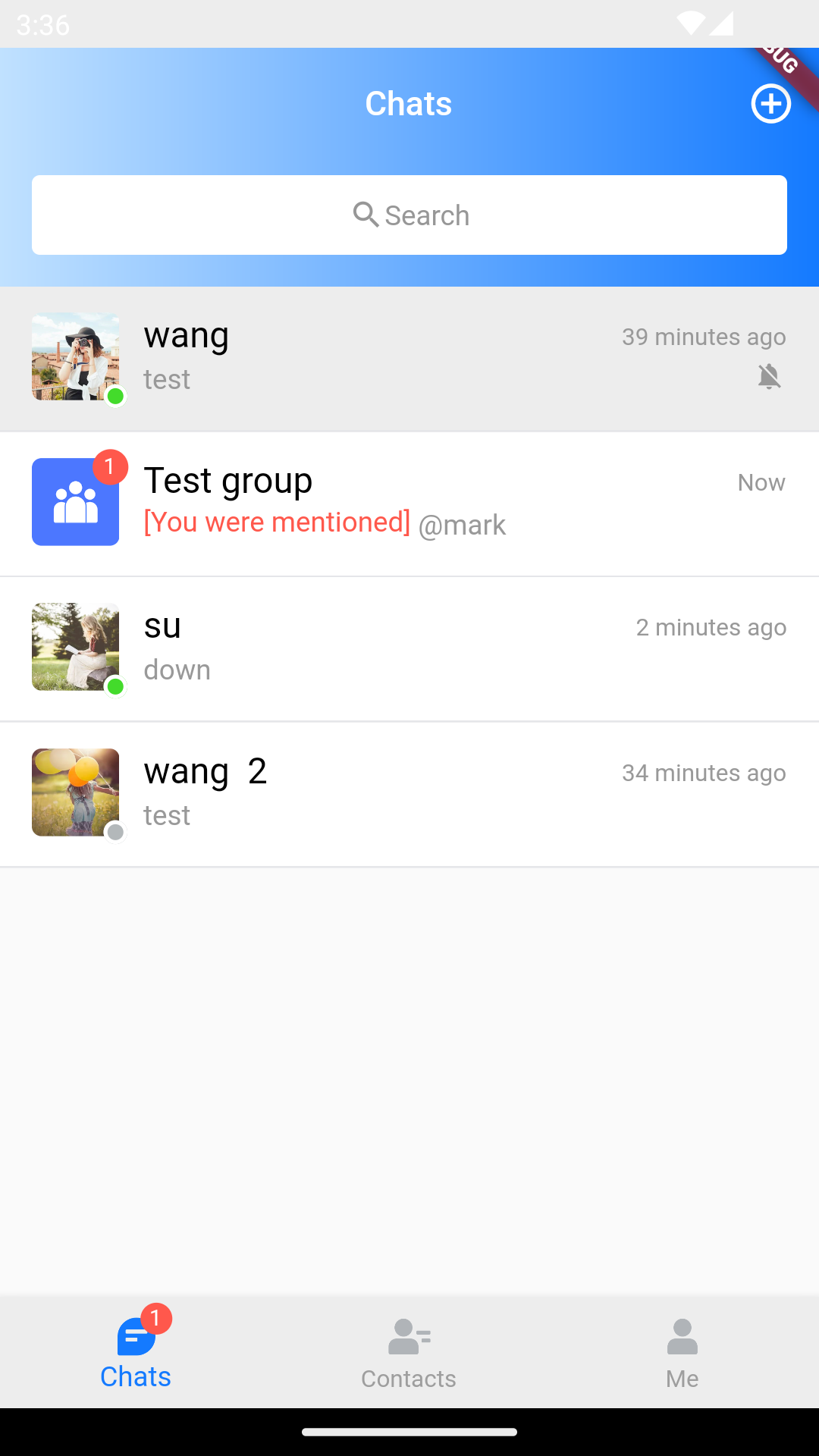
/// @title:"groupAtInfoList为群组消息@信息列表."
/// @title:"代码示例为使用groupAtInfoList获取群组消息@信息列表。"
/// @picture:"https://qcloudimg.tencent-cloud.cn/raw/7ba5256b260c838372eef63c4ecf23b7.png"
@override
Widget build(BuildContext context) {
  String? _getConvID() {
    return widget.selectedConversation.type == 1
        ? widget.selectedConversation.userID
        : widget.selectedConversation.groupID;
  }

  String _getTitle() {
    return backRemark ?? widget.selectedConversation.showName ?? "";
  }

  return TIMUIKitChat(
      groupAtInfoList: widget.selectedConversation.groupAtInfoList,
      key: tuiChatField,
      conversationID: _getConvID() ?? '',
      conversationType:
          widget.selectedConversation.type ?? ConversationType.V2TIM_C2C,
      conversationShowName: _getTitle());
}
initFindingMsg的案例
initFindingMsg为进入页面需要查询的消息.
代码示例为使用initFindingMsg做到进入聊天页面并查询此会话最后一条消息。
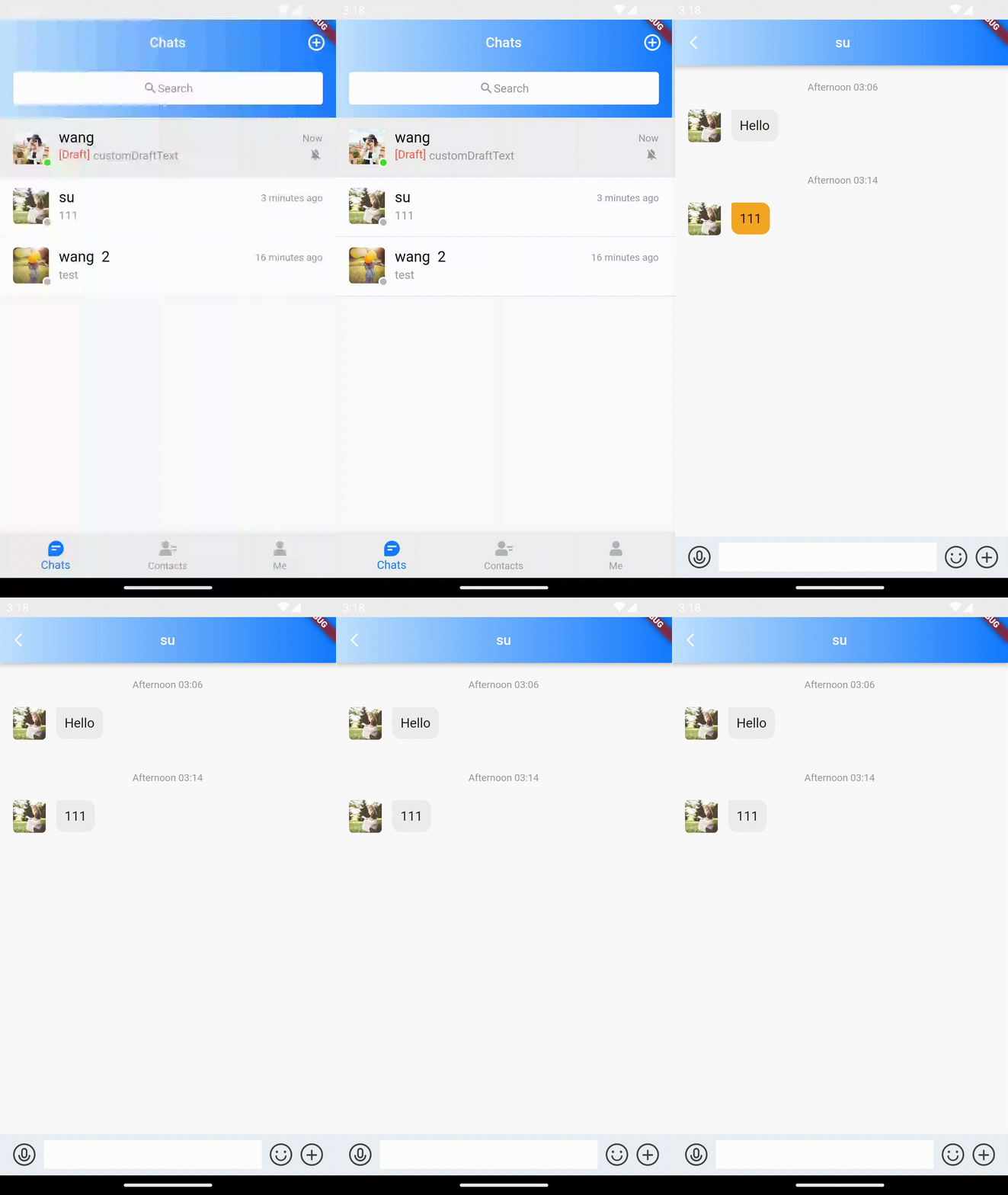
/// @title:"initFindingMsg为进入页面需要查询的消息."
/// @title:"代码示例为使用initFindingMsg做到进入聊天页面并查询此会话最后一条消息。"
/// @picture:"https://tuikit-1251787278.cos.ap-guangzhou.myqcloud.com/initFindingMsg.gif"
@override
Widget build(BuildContext context) {
  String? _getConvID() {
    return widget.selectedConversation.type == 1
        ? widget.selectedConversation.userID
        : widget.selectedConversation.groupID;
  }

  String _getTitle() {
    return backRemark ?? widget.selectedConversation.showName ?? "";
  }

  return TIMUIKitChat(
      initFindingMsg: widget.selectedConversation.lastMessage,
      key: tuiChatField,
      conversationID: _getConvID() ?? '',
      conversationType:
          widget.selectedConversation.type ?? ConversationType.V2TIM_C2C,
      conversationShowName: _getTitle());
}
lifeCycle的案例
lifeCycle为聊天消息操作时的钩子函数.
代码示例为使用messageWillSend做到在发送消息前弹出弹窗的案例。
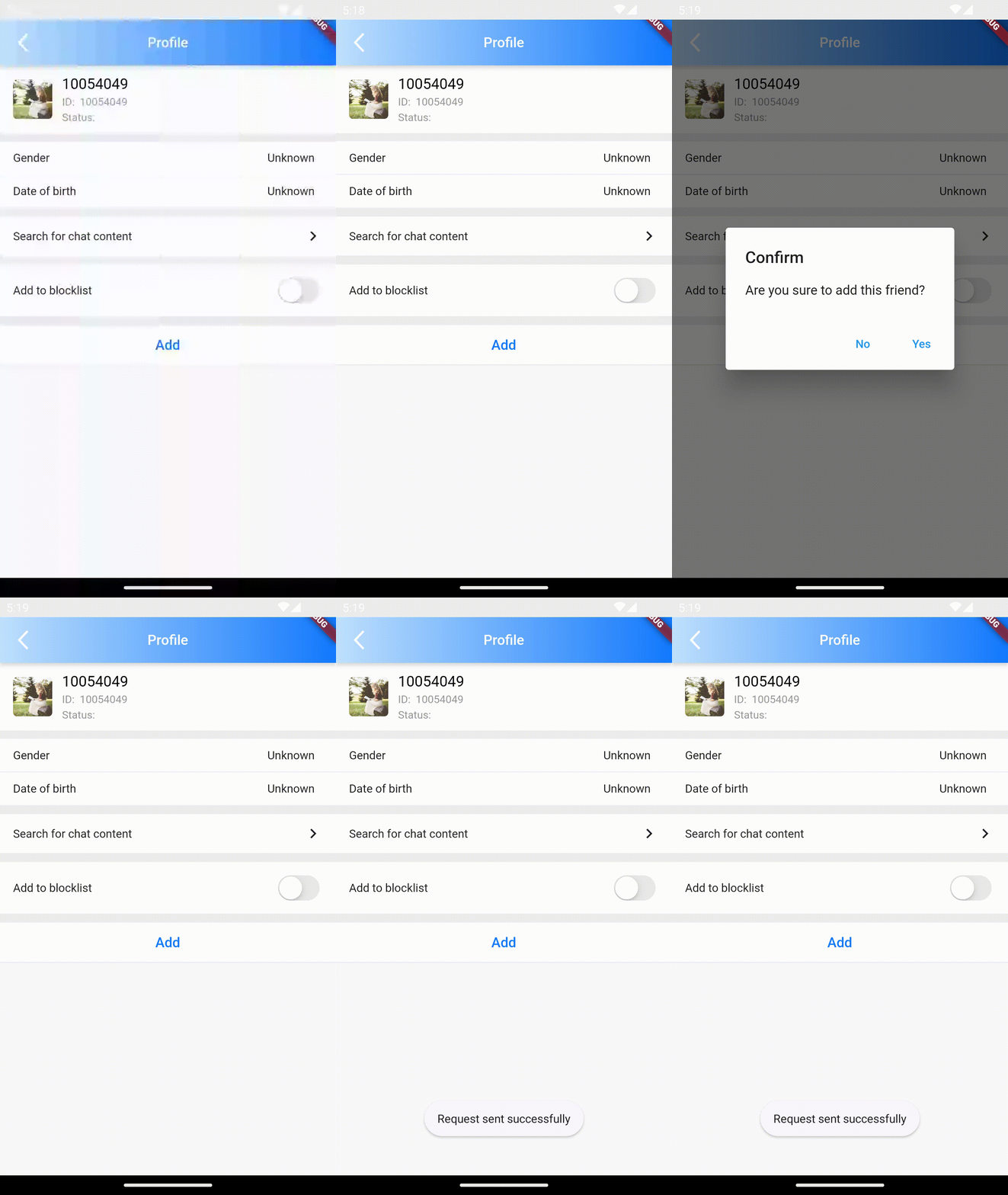
/// @title:"lifeCycle为聊天消息操作时的钩子函数."
/// @title:"代码示例为使用messageWillSend做到在发送消息前弹出弹窗的案例。"
/// @picture:"https://tuikit-1251787278.cos.ap-guangzhou.myqcloud.com/lifeCycle.gif"
@override
Widget build(BuildContext context) {
  String? _getConvID() {
    return widget.selectedConversation.type == 1
        ? widget.selectedConversation.userID
        : widget.selectedConversation.groupID;
  }

  String _getTitle() {
    return backRemark ?? widget.selectedConversation.showName ?? "";
  }

  ChatLifeCycle lifeCycle = ChatLifeCycle(
    messageWillSend: (V2TimMessage message) async {
      // 发送消息前的逻辑
      // 弹出对话框
      Future<bool?> messageWillSendDialog() {
        return showDialog<bool>(
          context: context,
          builder: (context) {
            return AlertDialog(
              title: const Text("提示"),
              content: const Text("您确定要发送消息吗?"),
              actions: <Widget>[
                TextButton(
                  child: const Text("取消"),
                  onPressed: () => Navigator.of(context).pop(), // 关闭对话框
                ),
                TextButton(
                  child: const Text("确定"),
                  onPressed: () {
                    //关闭对话框并返回true
                    Navigator.of(context).pop(true);
                  },
                ),
              ],
            );
          },
        );
      }

      bool isSend = await messageWillSendDialog() ?? false;
      return isSend ? message : null;
    },
  );
  return TIMUIKitChat(
      lifeCycle: lifeCycle,
      key: tuiChatField,
      conversationID: _getConvID() ?? '',
      conversationType:
          widget.selectedConversation.type ?? ConversationType.V2TIM_C2C,
      conversationShowName: _getTitle());
}
mainHistoryListConfig的案例
mainHistoryListConfig为历史消息列表的ListView配置.
代码示例为使用mainHistoryListConfig做到历史消息列表中聊天对象头像右移。
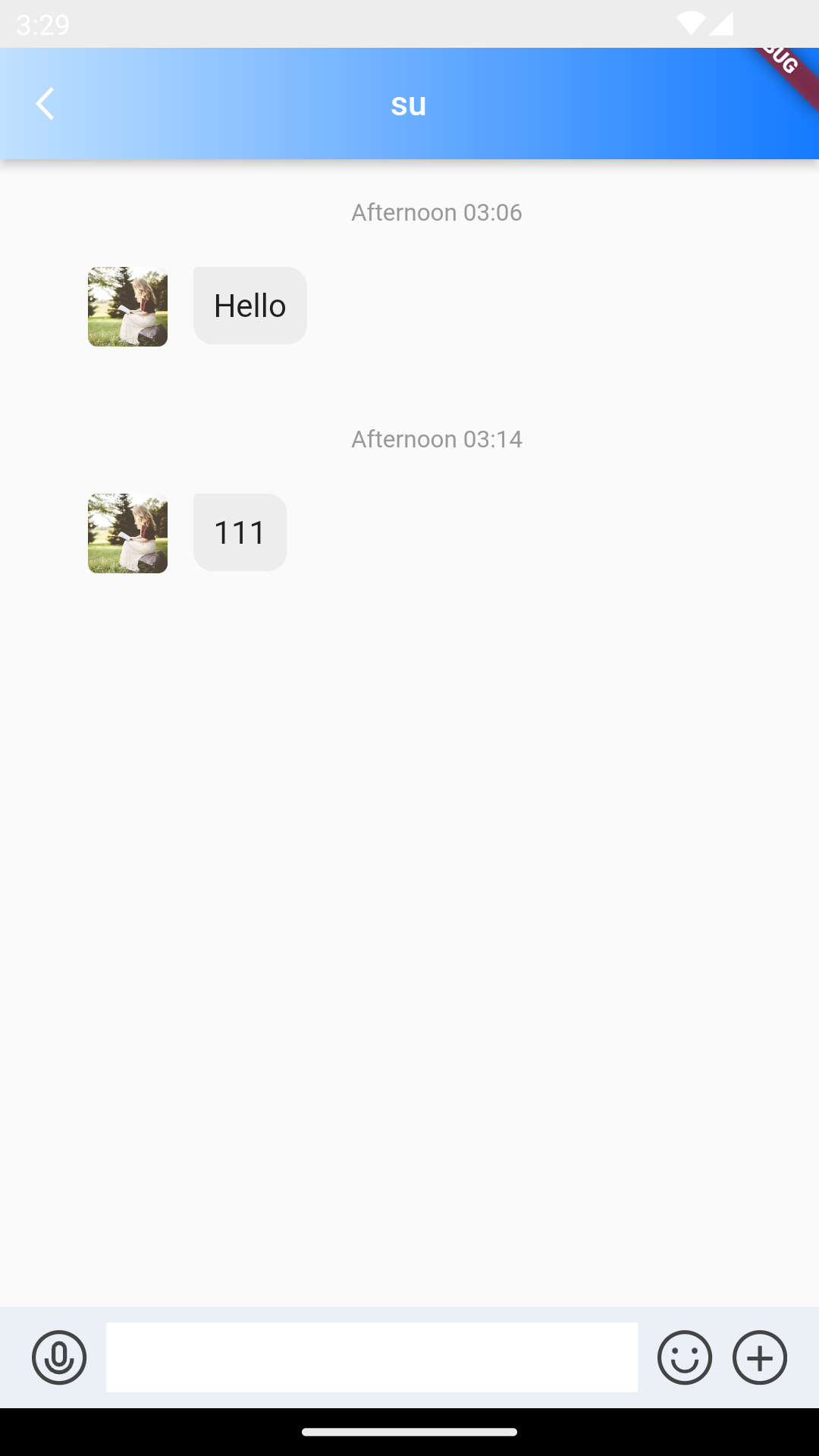
/// @title:"mainHistoryListConfig为历史消息列表的ListView配置."
/// @title:"代码示例为使用mainHistoryListConfig做到历史消息列表中聊天对象头像右移。"
/// @picture:"https://qcloudimg.tencent-cloud.cn/raw/ca3e6dd92688cf5596bde55a21e3244c.png"
@override
Widget build(BuildContext context) {
  String? _getConvID() {
    return widget.selectedConversation.type == 1
        ? widget.selectedConversation.userID
        : widget.selectedConversation.groupID;
  }

  String _getTitle() {
    return backRemark ?? widget.selectedConversation.showName ?? "";
  }

  return TIMUIKitChat(
      mainHistoryListConfig: TIMUIKitHistoryMessageListConfig(
        padding: const EdgeInsets.only(left: 28),
      ),
      key: tuiChatField,
      conversationID: _getConvID() ?? '',
      conversationType:
          widget.selectedConversation.type ?? ConversationType.V2TIM_C2C,
      conversationShowName: _getTitle());
}
messageItemBuilder的案例
messageItemBuilder为用于自定义不同种类消息样式的构造器.
代码示例为使用messageItemBuilder结合UIKit中的TIMUIKitTextElem构造自定义消息样式的案例。
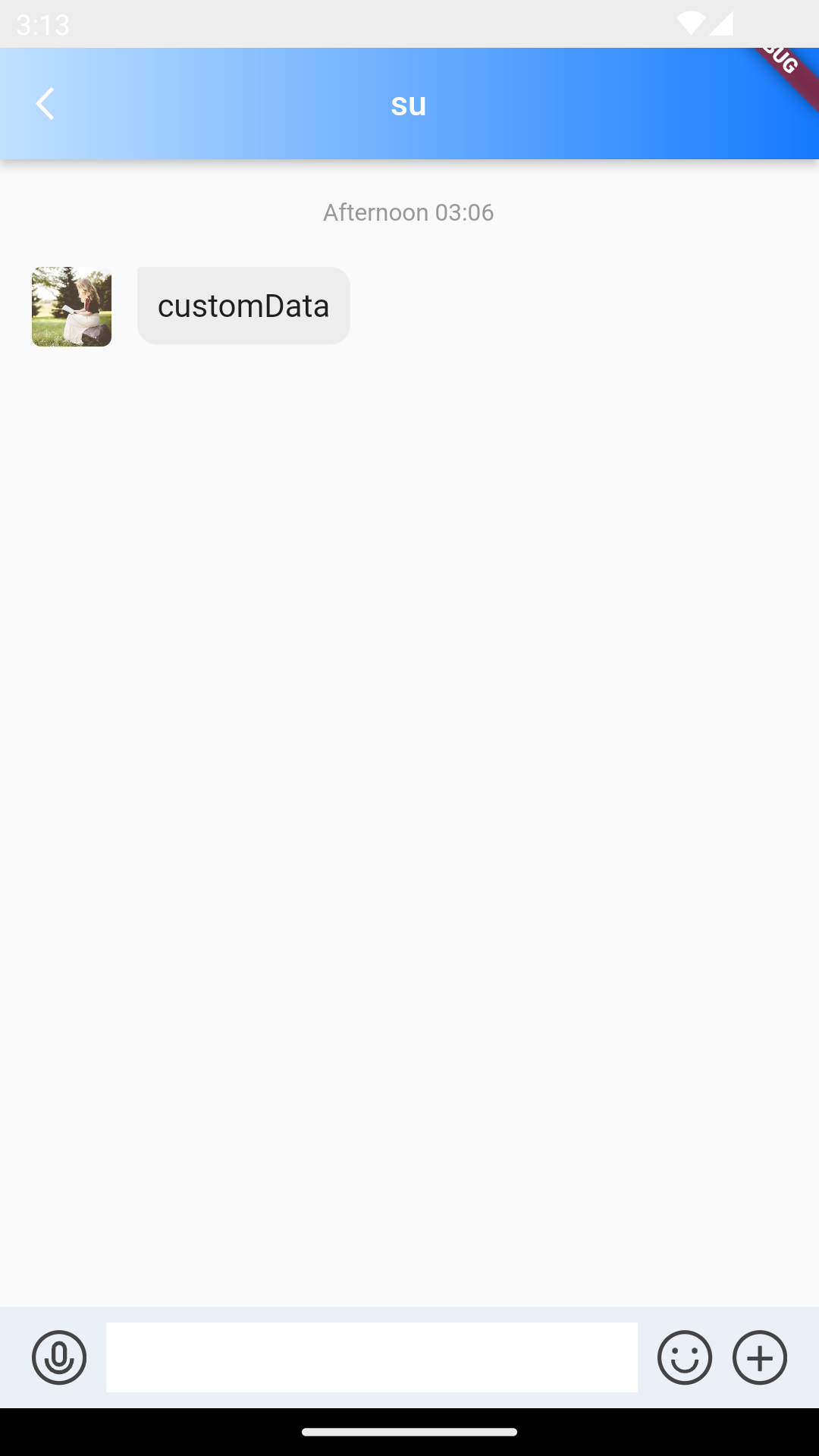
/// @title:"messageItemBuilder为用于自定义不同种类消息样式的构造器."
/// @title:"代码示例为使用messageItemBuilder结合UIKit中的TIMUIKitTextElem构造自定义消息样式的案例。"
/// @picture:"https://qcloudimg.tencent-cloud.cn/raw/d6d6187f3a7b5f306e4348cb36e39572.png"
@override
Widget build(BuildContext context) {
  final TUIChatViewModel model = serviceLocator<TUIChatViewModel>();
  String? _getConvID() {
    return widget.selectedConversation.type == 1
        ? widget.selectedConversation.userID
        : widget.selectedConversation.groupID;
  }

  String _getTitle() {
    return backRemark ?? widget.selectedConversation.showName ?? "";
  }

  return TIMUIKitChat(
      messageItemBuilder: MessageItemBuilder(
          textMessageItemBuilder: ((message, isShowJump, clearJump) {
        if (message.elemType == MessageElemType.V2TIM_ELEM_TYPE_TEXT) {
          message.textElem!.text = 'customData';
        }
        return TIMUIKitTextElem(
          chatModel: model,
          message: message,
          isFromSelf: message.isSelf ?? false,
          clearJump: () => model.jumpMsgID = "",
          isShowJump: isShowJump,
        );
      })),
      key: tuiChatField,
      conversationID: _getConvID() ?? '',
      conversationType:
          widget.selectedConversation.type ?? ConversationType.V2TIM_C2C,
      conversationShowName: _getTitle());
}
morePanelConfig的案例
morePanelConfig为更多操作选项设置.
代码示例为使用morePanelConfig做到在更多操作中添加语音与视频操作。
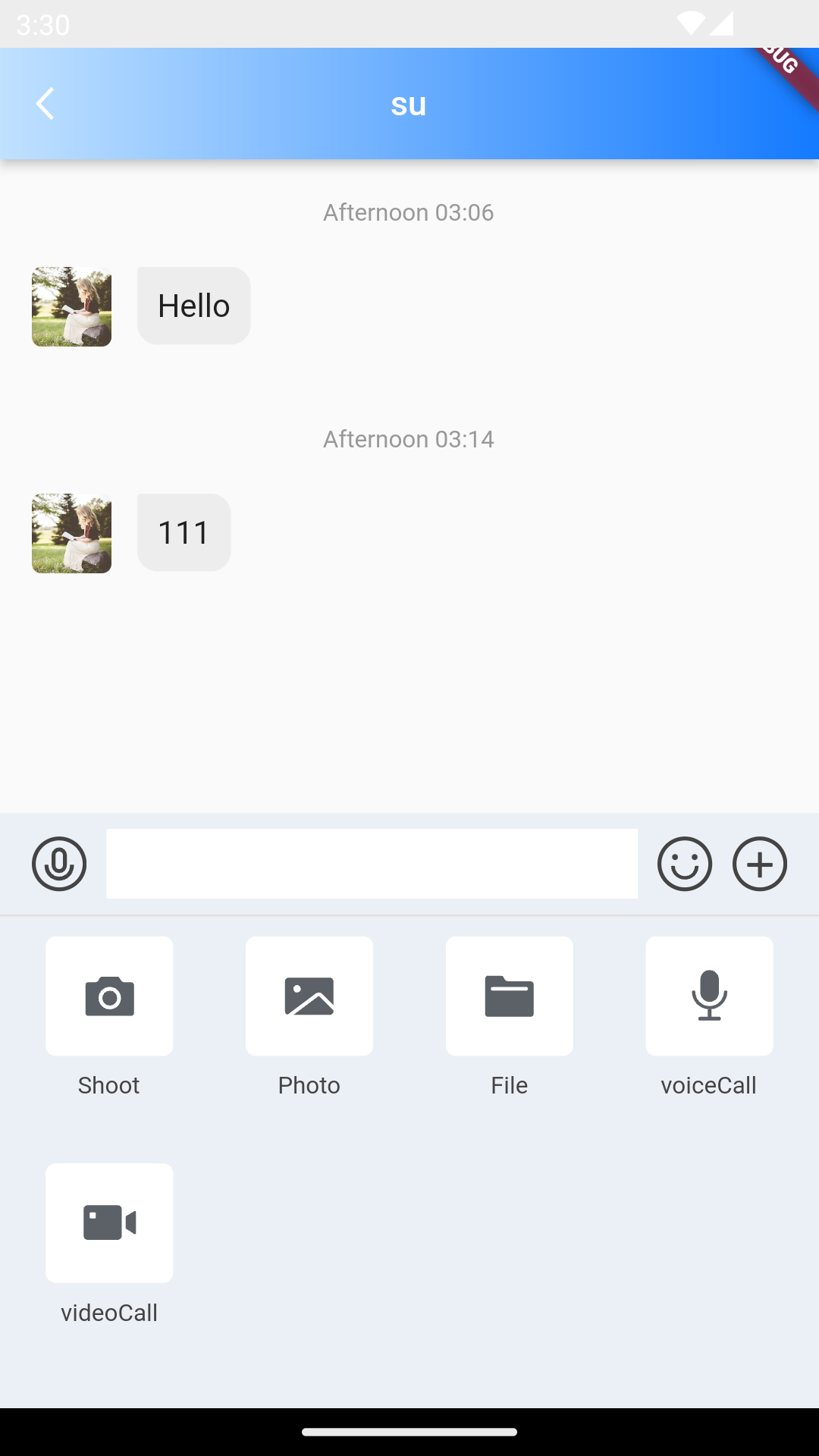
/// @title:"morePanelConfig为更多操作选项设置."
/// @title:"代码示例为使用morePanelConfig做到在更多操作中添加语音与视频操作。"
/// @picture:"https://qcloudimg.tencent-cloud.cn/raw/eaa7b76216751a201a2810b322eec626.png"
@override
Widget build(BuildContext context) {
  String? _getConvID() {
    return widget.selectedConversation.type == 1
        ? widget.selectedConversation.userID
        : widget.selectedConversation.groupID;
  }

  String _getTitle() {
    return backRemark ?? widget.selectedConversation.showName ?? "";
  }

  _goToVideoUI() async {
    final hasCameraPermission =
        await Permissions.checkPermission(context, Permission.camera.value);
    final hasMicphonePermission =
        await Permissions.checkPermission(context, Permission.microphone.value);
    if (!hasCameraPermission || !hasMicphonePermission) {
      return;
    }
    final isGroup = widget.selectedConversation.type == 2;
    tuiChatField.currentState.textFieldController.hideAllPanel();
    if (isGroup) {
      List<V2TimGroupMemberFullInfo>? selectedMember = await Navigator.push(
        context,
        MaterialPageRoute(
          builder: (context) => SelectCallInviter(
            groupID: widget.selectedConversation.groupID,
          ),
        ),
      );
      if (selectedMember != null) {
        final inviteMember = selectedMember.map((e) => e.userID).toList();
        _calling?.groupCall(inviteMember, CallingScenes.Video,
            widget.selectedConversation.groupID);
      }
    } else {
      final user = await sdkInstance.getLoginUser();
      final myId = user.data;
      OfflinePushInfo offlinePush = OfflinePushInfo(
        title: "",
        desc: imt("邀请你视频通话"),
        ext: "{\"conversationID\": \"c2c_$myId\"}",
        disablePush: false,
        androidOPPOChannelID: PushConfig.OPPOChannelID,
        ignoreIOSBadge: false,
      );

      _calling?.call(widget.selectedConversation.userID!, CallingScenes.Video,
          offlinePush);
    }
  }

  _goToVoiceUI() async {
    final hasMicphonePermission =
        await Permissions.checkPermission(context, Permission.microphone.value);
    if (!hasMicphonePermission) {
      return;
    }
    final isGroup = widget.selectedConversation.type == 2;
    tuiChatField.currentState.textFieldController.hideAllPanel();
    if (isGroup) {
      List<V2TimGroupMemberFullInfo>? selectedMember = await Navigator.push(
        context,
        MaterialPageRoute(
          builder: (context) => SelectCallInviter(
            groupID: widget.selectedConversation.groupID,
          ),
        ),
      );
      if (selectedMember != null) {
        final inviteMember = selectedMember.map((e) => e.userID).toList();
        _calling?.groupCall(inviteMember, CallingScenes.Audio,
            widget.selectedConversation.groupID);
      }
    } else {
      final user = await sdkInstance.getLoginUser();
      final myId = user.data;
      OfflinePushInfo offlinePush = OfflinePushInfo(
        title: "",
        desc: imt("邀请你语音通话"),
        ext: "{\"conversationID\": \"c2c_$myId\"}",
        disablePush: false,
        ignoreIOSBadge: false,
        androidOPPOChannelID: PushConfig.OPPOChannelID,
      );

      _calling?.call(widget.selectedConversation.userID!, CallingScenes.Audio,
          offlinePush);
    }
  }

  return TIMUIKitChat(
      morePanelConfig: MorePanelConfig(
        extraAction: [
          MorePanelItem(
              id: "voiceCall",
              title: imt("语音通话"),
              onTap: (c) {
                _goToVoiceUI();
              },
              icon: Container(
                height: 64,
                width: 64,
                margin: const EdgeInsets.only(bottom: 4),
                decoration: const BoxDecoration(
                    color: Colors.white,
                    borderRadius: BorderRadius.all(Radius.circular(5))),
                child: SvgPicture.asset(
                  "images/voice-call.svg",
                  package: 'tim_ui_kit',
                  height: 64,
                  width: 64,
                ),
              )),
          MorePanelItem(
              id: "videoCall",
              title: imt("视频通话"),
              onTap: (c) {
                _goToVideoUI();
              },
              icon: Container(
                height: 64,
                width: 64,
                margin: const EdgeInsets.only(bottom: 4),
                decoration: const BoxDecoration(
                    color: Colors.white,
                    borderRadius: BorderRadius.all(Radius.circular(5))),
                child: SvgPicture.asset(
                  "images/video-call.svg",
                  package: 'tim_ui_kit',
                  height: 64,
                  width: 64,
                ),
              ))
        ],
      ),
      key: tuiChatField,
      conversationID: _getConvID() ?? '',
      conversationType:
          widget.selectedConversation.type ?? ConversationType.V2TIM_C2C,
      conversationShowName: _getTitle());
}
onDealWithGroupApplication的案例
onDealWithGroupApplication为点击处理加群申请后的回调函数.
代码示例为使用onDealWithGroupApplication做到在点击处理加群申请后跳转到群申请页面。
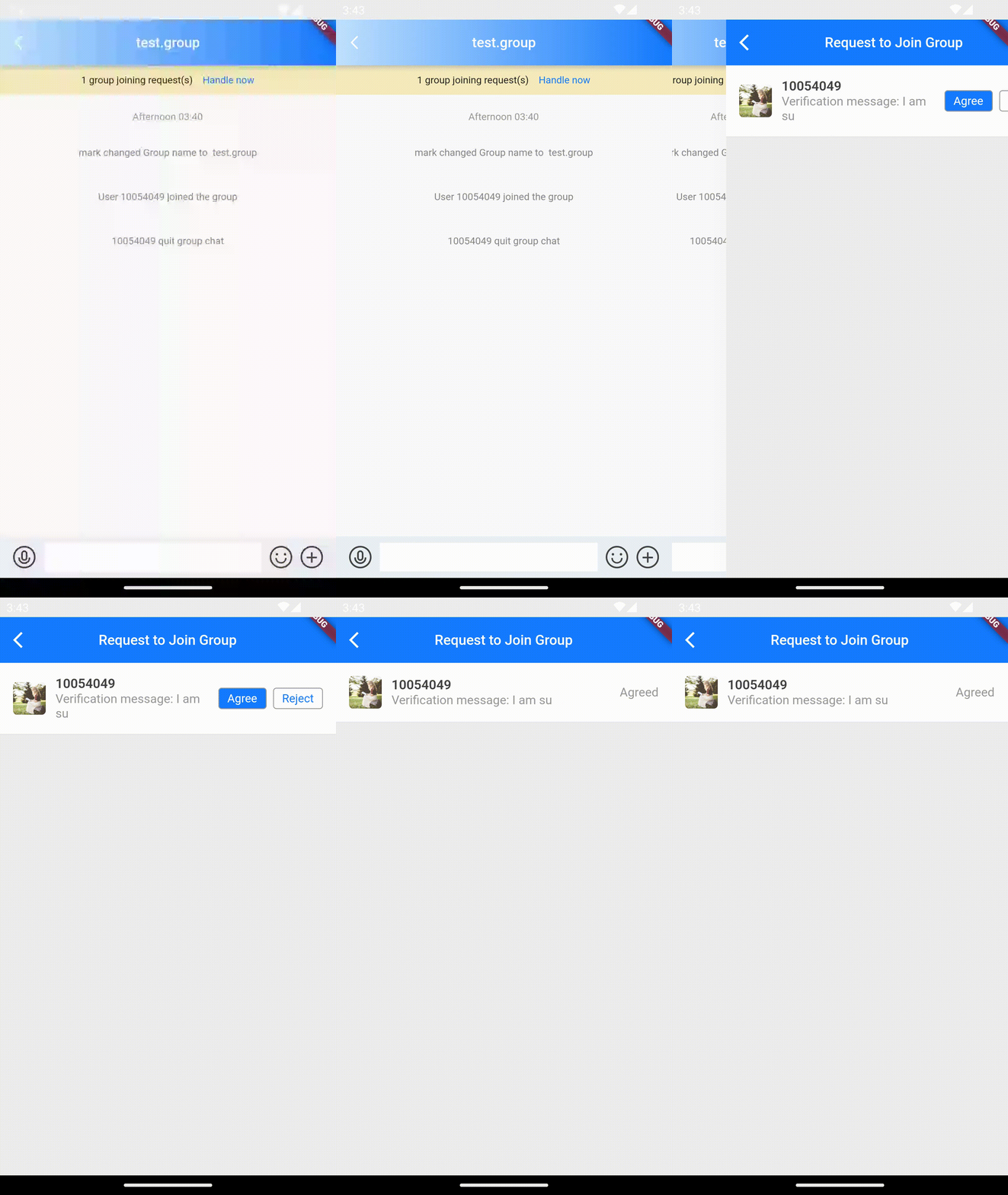
/// @title:"onDealWithGroupApplication为点击处理加群申请后的回调函数."
/// @title:"代码示例为使用onDealWithGroupApplication做到在点击处理加群申请后跳转到群申请页面。"
/// @picture:"https://qcloudimg.tencent-cloud.cn/raw/69e09c9798e7da68297b1706abb2ab47.gif"
@override
Widget build(BuildContext context) {
  String? _getConvID() {
    return widget.selectedConversation.type == 1
        ? widget.selectedConversation.userID
        : widget.selectedConversation.groupID;
  }

  String _getTitle() {
    return backRemark ?? widget.selectedConversation.showName ?? "";
  }

  return TIMUIKitChat(
      onDealWithGroupApplication: (String groupId) {
        Navigator.push(
          context,
          MaterialPageRoute(
            builder: (context) => GroupApplicationList(
              groupID: groupId,
            ),
          ),
        );
      },
      key: tuiChatField,
      conversationID: _getConvID() ?? '',
      conversationType:
          widget.selectedConversation.type ?? ConversationType.V2TIM_C2C,
      conversationShowName: _getTitle());
}
onTapAvatar的案例
onTapAvatar为点击头像的回调函数.
代码示例为使用自定义onTapAvatar做到点击用户头像进入用户信息页面
使用此属性时config的isAllowClickAvatar不能为false
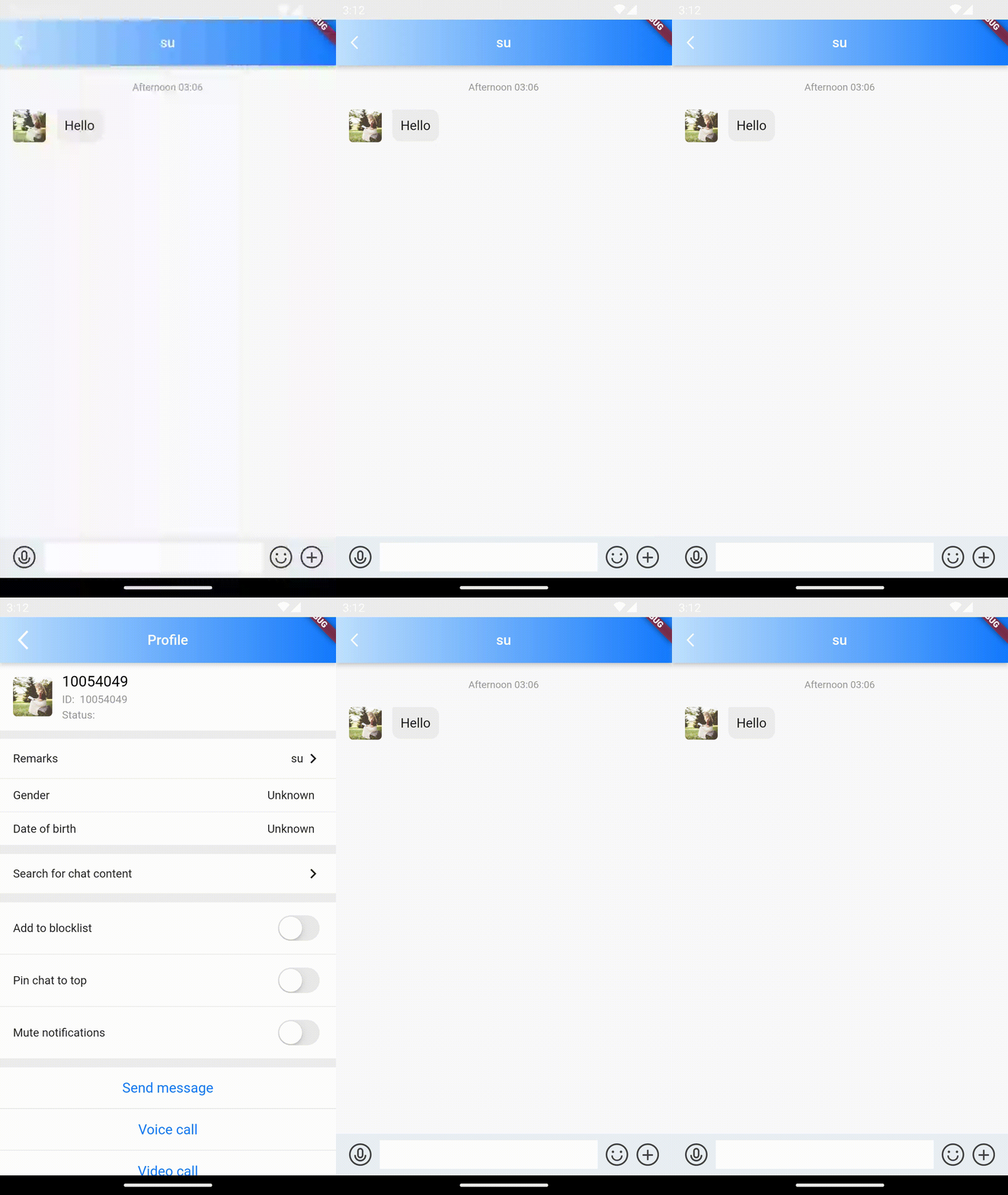
/// @title:"onTapAvatar为点击头像的回调函数."
/// @title:"代码示例为使用自定义onTapAvatar做到点击用户头像进入用户信息页面"
/// @title:"使用此属性时config的isAllowClickAvatar不能为false"
/// @picture:"https://tuikit-1251787278.cos.ap-guangzhou.myqcloud.com/onTapAvatar.gif"
@override
Widget build(BuildContext context) {
  String? _getConvID() {
    return widget.selectedConversation.type == 1
        ? widget.selectedConversation.userID
        : widget.selectedConversation.groupID;
  }

  String _getTitle() {
    return backRemark ?? widget.selectedConversation.showName ?? "";
  }

  _onTapAvatar(String userID) {
    Navigator.push(
        context,
        MaterialPageRoute(
          builder: (context) => UserProfile(userID: userID),
        ));
  }

  return TIMUIKitChat(
      onTapAvatar: _onTapAvatar,
      key: tuiChatField,
      conversationID: _getConvID() ?? '',
      conversationType:
          widget.selectedConversation.type ?? ConversationType.V2TIM_C2C,
      conversationShowName: _getTitle());
}
showTotalUnReadCount的案例
showTotalUnReadCount为是否展示当前未读消息总数的设置.
代码示例为使用showTotalUnReadCount做到展示当前未读消息总数。
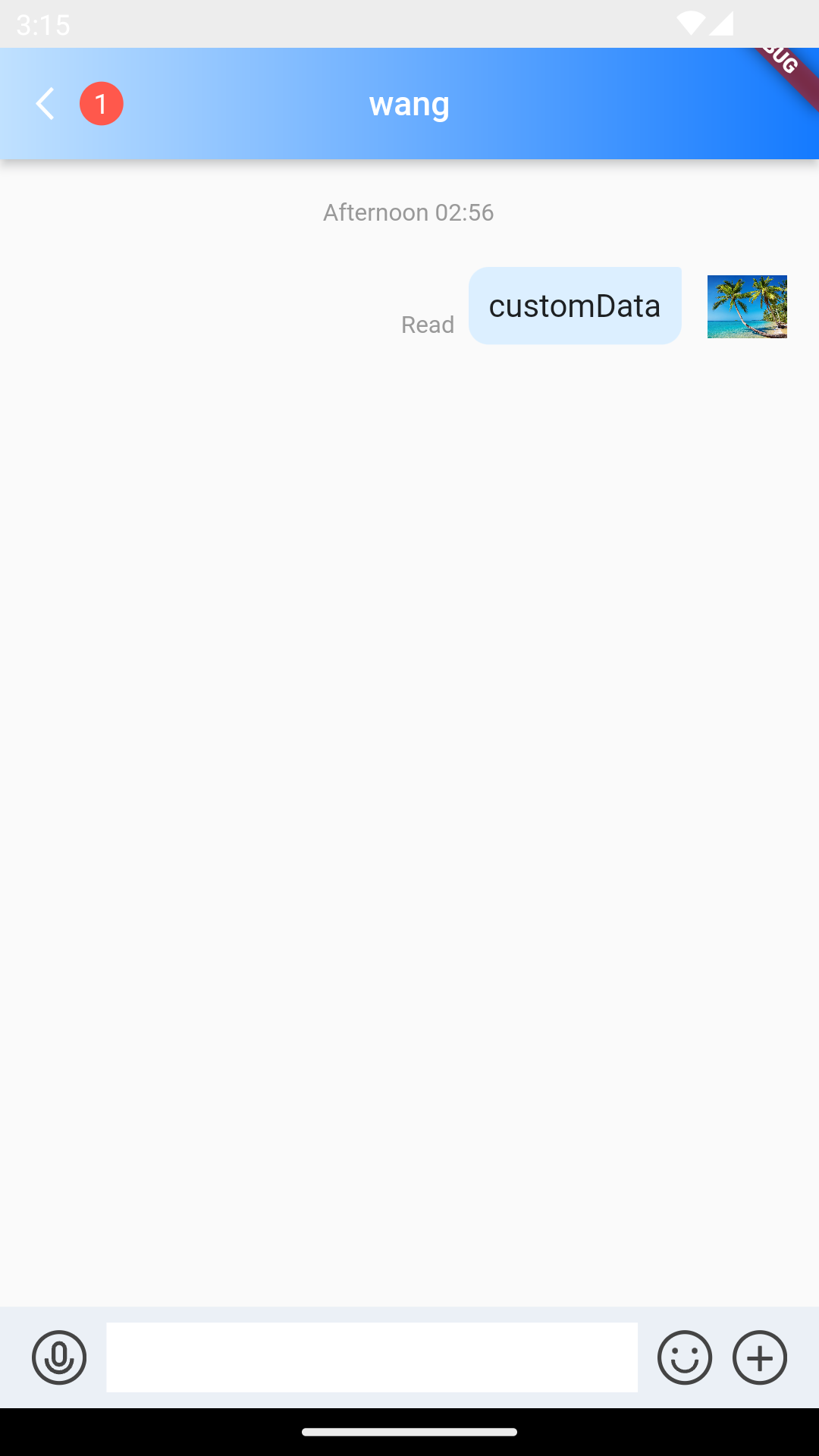
/// @title:"showTotalUnReadCount为是否展示当前未读消息总数的设置."
/// @title:"代码示例为使用showTotalUnReadCount做到展示当前未读消息总数。"
/// @picture:"https://qcloudimg.tencent-cloud.cn/raw/e2657057244fab56fc7cc56b82dac7d5.png"
@override
Widget build(BuildContext context) {
  String? _getConvID() {
    return widget.selectedConversation.type == 1
        ? widget.selectedConversation.userID
        : widget.selectedConversation.groupID;
  }

  String _getTitle() {
    return backRemark ?? widget.selectedConversation.showName ?? "";
  }

  return TIMUIKitChat(
      showTotalUnReadCount: true,
      key: tuiChatField,
      conversationID: _getConvID() ?? '',
      conversationType:
          widget.selectedConversation.type ?? ConversationType.V2TIM_C2C,
      conversationShowName: _getTitle());
}
textFieldHintText的案例
textFieldHintText为输入框默认提示语.
代码示例为使用textFieldHintText做到自定义输入框默认提示语。
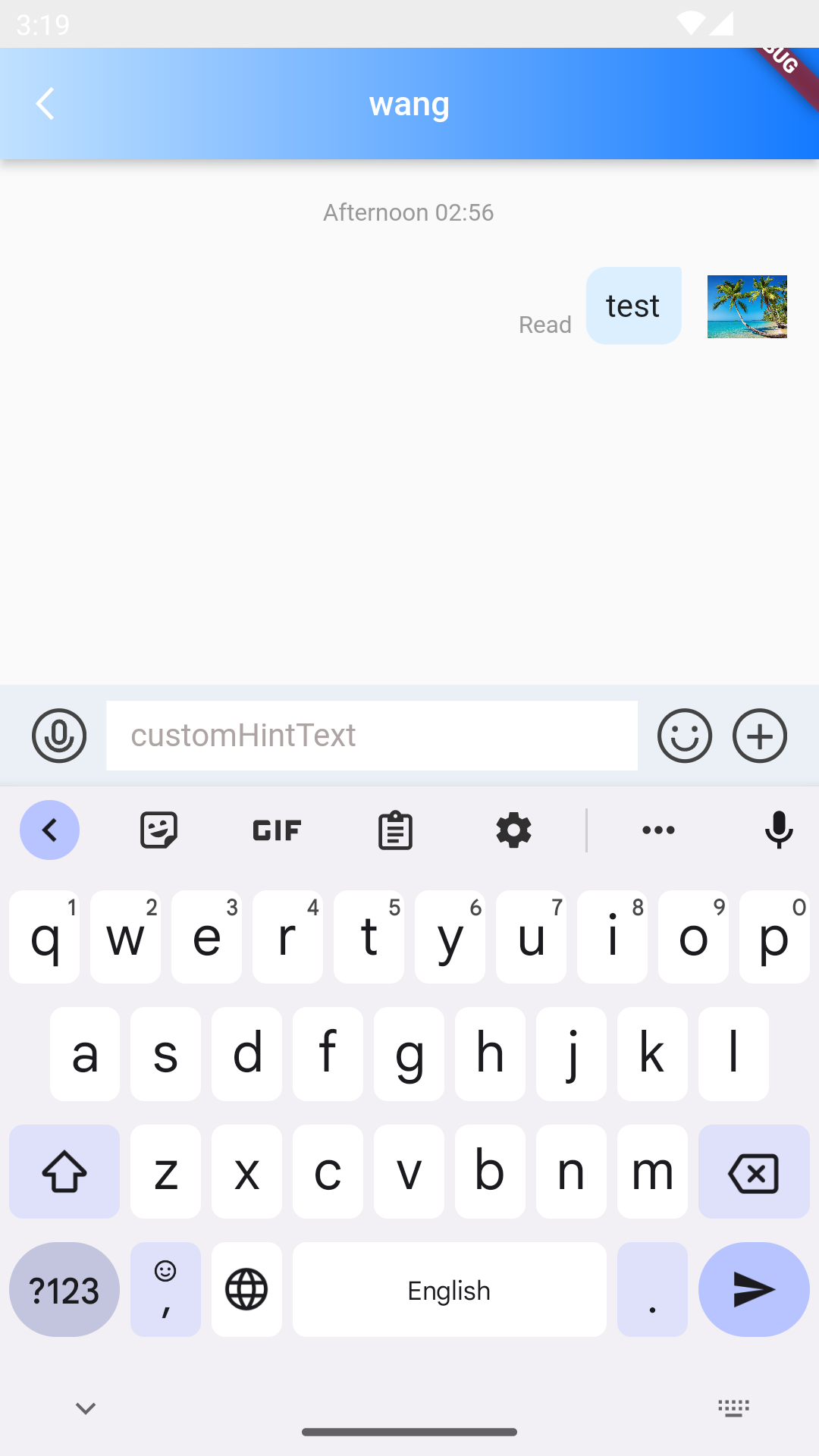
/// @title:"textFieldHintText为输入框默认提示语."
/// @title:"代码示例为使用textFieldHintText做到自定义输入框默认提示语。"
/// @picture:"https://qcloudimg.tencent-cloud.cn/raw/86a85582eb4593e5613293bf62dbb157.png"
@override
Widget build(BuildContext context) {
  String? _getConvID() {
    return widget.selectedConversation.type == 1
        ? widget.selectedConversation.userID
        : widget.selectedConversation.groupID;
  }

  String _getTitle() {
    return backRemark ?? widget.selectedConversation.showName ?? "";
  }

  return TIMUIKitChat(
      textFieldHintText: 'customHintText',
      key: tuiChatField,
      conversationID: _getConvID() ?? '',
      conversationType:
          widget.selectedConversation.type ?? ConversationType.V2TIM_C2C,
      conversationShowName: _getTitle());
}
tongueItemBuilder的案例
tongueItemBuilder为小舌头构造器(右下角按钮提示框样式构造器).
代码示例为使用tongueItemBuilder自定义跳转到底部的小舌头。
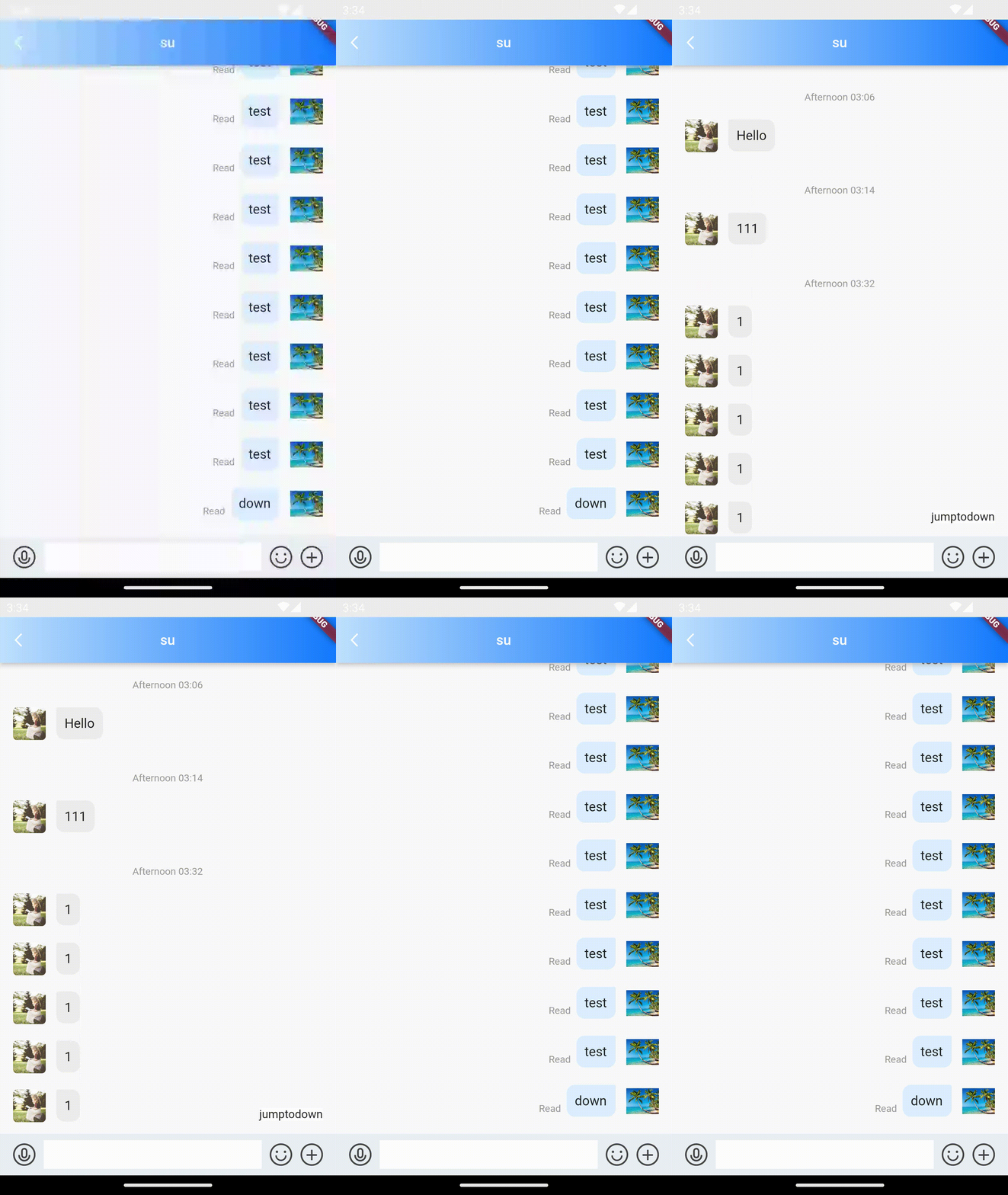
/// @title:"tongueItemBuilder为小舌头构造器(右下角按钮提示框样式构造器)."
/// @title:"代码示例为使用tongueItemBuilder自定义跳转到底部的小舌头。"
/// @picture:"https://tuikit-1251787278.cos.ap-guangzhou.myqcloud.com/tongueItemBuilder.gif"
@override
Widget build(BuildContext context) {
  String? _getConvID() {
    return widget.selectedConversation.type == 1
        ? widget.selectedConversation.userID
        : widget.selectedConversation.groupID;
  }

  String _getTitle() {
    return backRemark ?? widget.selectedConversation.showName ?? "";
  }

  return TIMUIKitChat(
      tongueItemBuilder: (onClick, valueType, unreadCount) {
        if (valueType == MessageListTongueType.toLatest) {
          return GestureDetector(
            child: Container(
              child: Text('jumptodown'),
              decoration: BoxDecoration(color: Colors.white),
            ),
            onTap: () {
              onClick();
            },
          );
        }
        return Container();
      },
      key: tuiChatField,
      conversationID: _getConvID() ?? '',
      conversationType:
          widget.selectedConversation.type ?? ConversationType.V2TIM_C2C,
      conversationShowName: _getTitle());
}
toolTipsConfig的案例
toolTipsConfig为长按消息显示的消息操作选项设置.
代码示例为使用toolTipsConfig做到只显示多选和删除操作。
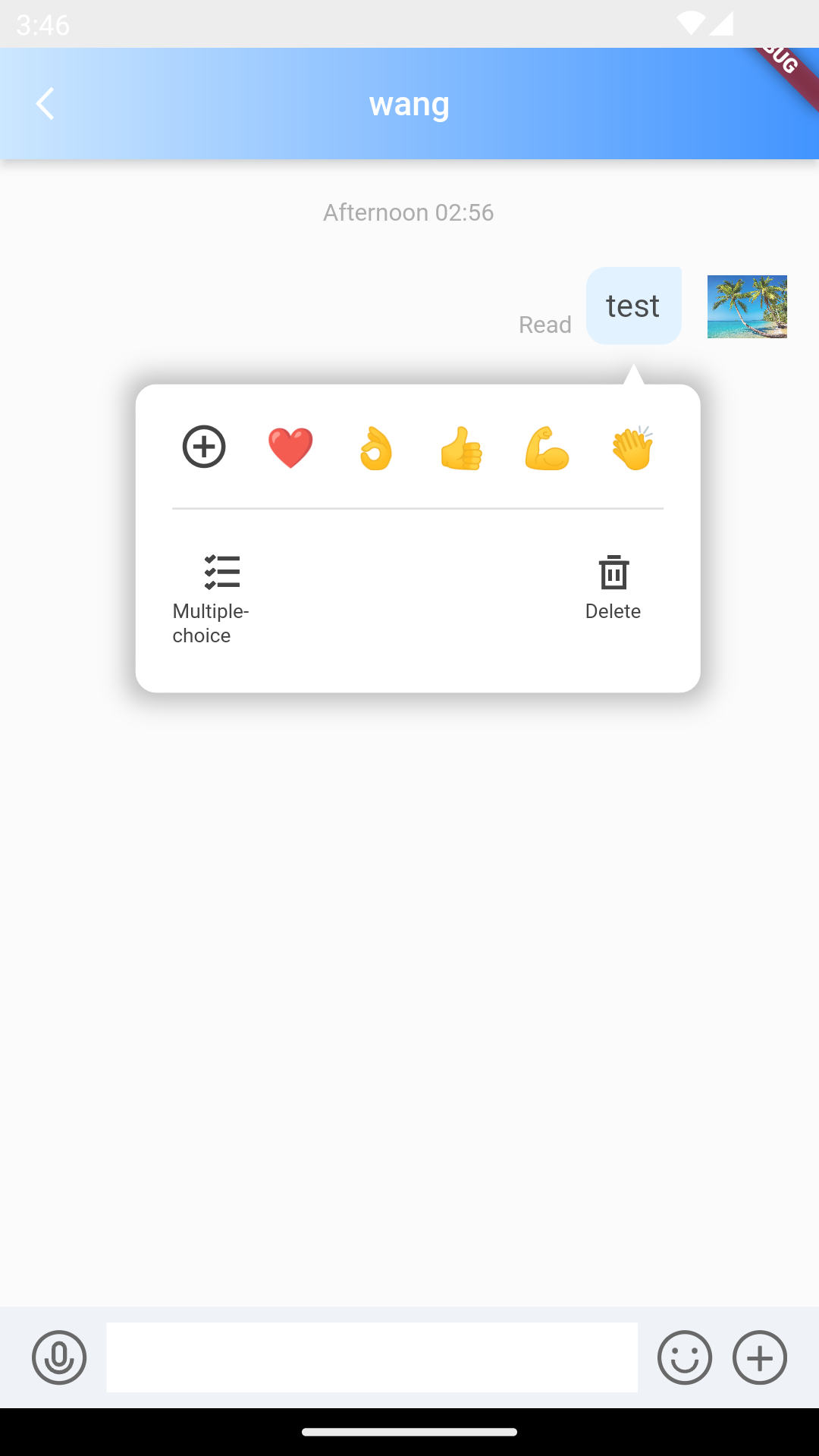
/// @title:"toolTipsConfig为长按消息显示的消息操作选项设置."
/// @title:"代码示例为使用toolTipsConfig做到只显示多选和删除操作。"
/// @picture:"https://qcloudimg.tencent-cloud.cn/raw/6813a2c4b012314bd64748289115c19f.png"
@override
Widget build(BuildContext context) {
  String? _getConvID() {
    return widget.selectedConversation.type == 1
        ? widget.selectedConversation.userID
        : widget.selectedConversation.groupID;
  }

  String _getTitle() {
    return backRemark ?? widget.selectedConversation.showName ?? "";
  }

  return TIMUIKitChat(
      toolTipsConfig: ToolTipsConfig(
          showCopyMessage: false,
          showForwardMessage: false,
          showRecallMessage: false,
          showReplyMessage: false),
      key: tuiChatField,
      conversationID: _getConvID() ?? '',
      conversationType:
          widget.selectedConversation.type ?? ConversationType.V2TIM_C2C,
      conversationShowName: _getTitle());
}
topFixWidget的案例
topFixWidget为聊天页面上方自定义widget.
代码示例为使用topFixWidget做到在聊天页面上方显示自定义widget
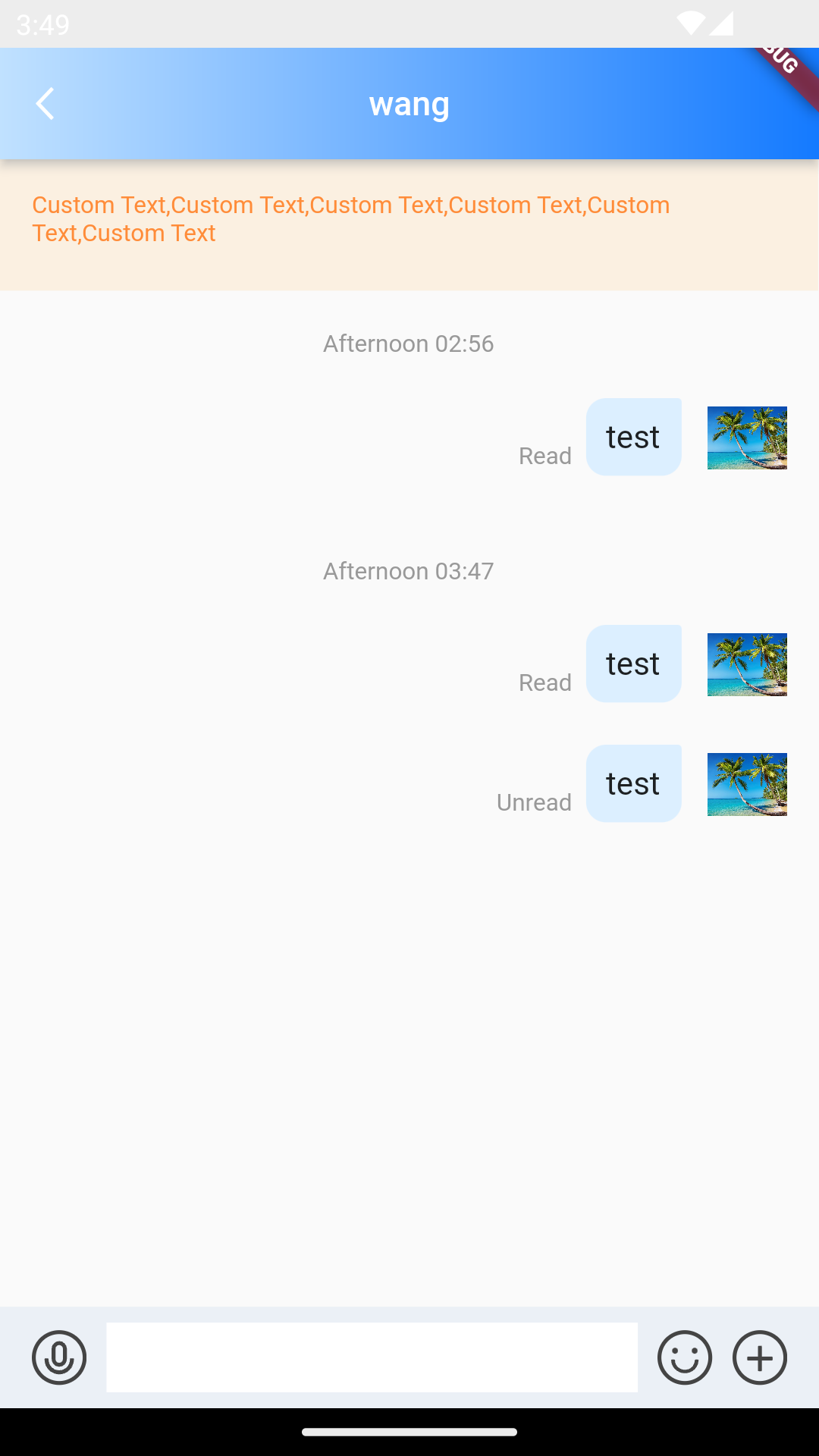
/// @title:"topFixWidget为聊天页面上方自定义widget."
/// @title:"代码示例为使用topFixWidget做到在聊天页面上方显示自定义widget"
/// @picture:"https://qcloudimg.tencent-cloud.cn/raw/9f2d4ac07cb2f6026bc44a272cfccc90.png"
@override
Widget build(BuildContext context) {
  String? _getConvID() {
    return widget.selectedConversation.type == 1
        ? widget.selectedConversation.userID
        : widget.selectedConversation.groupID;
  }

  String _getTitle() {
    return backRemark ?? widget.selectedConversation.showName ?? "";
  }

  return TIMUIKitChat(
      topFixWidget: Row(
        children: [
          Expanded(
            child: Stack(
              children: [
                Container(
                  padding: const EdgeInsets.all(16),
                  height: 86,
                  color: const Color.fromRGBO(255, 149, 1, 0.1),
                  child: Text(
                    imt("【安全提示】本APP仅用于体验腾讯云即时通信 IM 产品功能,不可用于业务洽谈与拓展。请勿轻信汇款、中奖等涉及钱款等信息,勿轻易拨打陌生电话,谨防上当受骗。"),
                    style: TextStyle(
                      color: hexToColor("FF8C39"),
                      fontSize: 12,
                    ),
                  ),
                ),
                Positioned(
                  bottom: 16,
                  right: 16,
                  child: GestureDetector(
                    onTap: _openTSWebview,
                    child: Text(
                      imt("点此投诉"),
                      style: TextStyle(
                        color: hexToColor("006EFF"),
                        fontSize: 12,
                      ),
                    ),
                  ),
                )
              ],
            ),
          )
        ],
      ),
      key: tuiChatField,
      conversationID: _getConvID() ?? '',
      conversationType:
          widget.selectedConversation.type ?? ConversationType.V2TIM_C2C,
      conversationShowName: _getTitle());
}